
Satori: Live Operations for Games
LiveOps is the heartbeat of successful games, driving player retention, engagement, and monetization.
Satori empowers game studios and publishers to excel in their live service games with a powerful suite of tools: event capture, dynamic event calendars, remote configuration, experimentation, analytics, and personalized player messaging.
With Satori, you’ll be fully equipped to create immersive, data-driven live service games that keep players coming back.


Live Operations
Match your game’s experience to players preferences
Recurring Live Events
Easily build and deploy live events, battle passes, offers, messages, push notifications, and more.

Personalize rewards
Give players premium rewards for achievements, battle passes, purchases, and platform exclusives.

Dynamically unlock new content
Build deep and engaging gameplay that automatically unlocks new content when players achieve goals or complete purchases.

Target Player with Exclusive Content
Drill down to player segments or even down to individual players to reward exclusive content and grow your community.

Experimentation & live events
Feature flags, multi-phase experiments, calendars, and repeatable live events.
Read more →Segmentation & audiences
Identities, properties, and filter-based audiences that stay fresh automatically.
Read more →Event capture
High-throughput pipelines, taxonomy, and data lake exports.
Read more →Analytics & funnels
Retention, funnel analysis, custom metrics, and alerts.
Read more →Satori is brilliant. A highly sophisticated and scalable LiveOps product to personalise player experiences without the need to constantly engage the engineering team.
Sergei Vasiuk - Director of LiveOps at Wargaming
If you are looking to build a live services game I would highly recommend exploring it.


A Heroic Solution for Every Problem
Built by the developers of the #1 game backend, Satori is built from the ground up to enable studios to deliver Live Operations at scale and consistently reproduce experiments to deepen engagement.

Messaging

Built for scale
- Dedicated deployment shielding you from noisy neighbors.
- Customize every configurable aspect of Satori (e.g. audience recalculation).
- Export raw events to Snowflake, BigQuery, Redshift, S3, and Databricks.
- Own your data with your dedicated data governance policies.
- Configure webhooks to notify your systems when events occur.
See Satori on your game

Talk to the team
Experimentation engine and live events

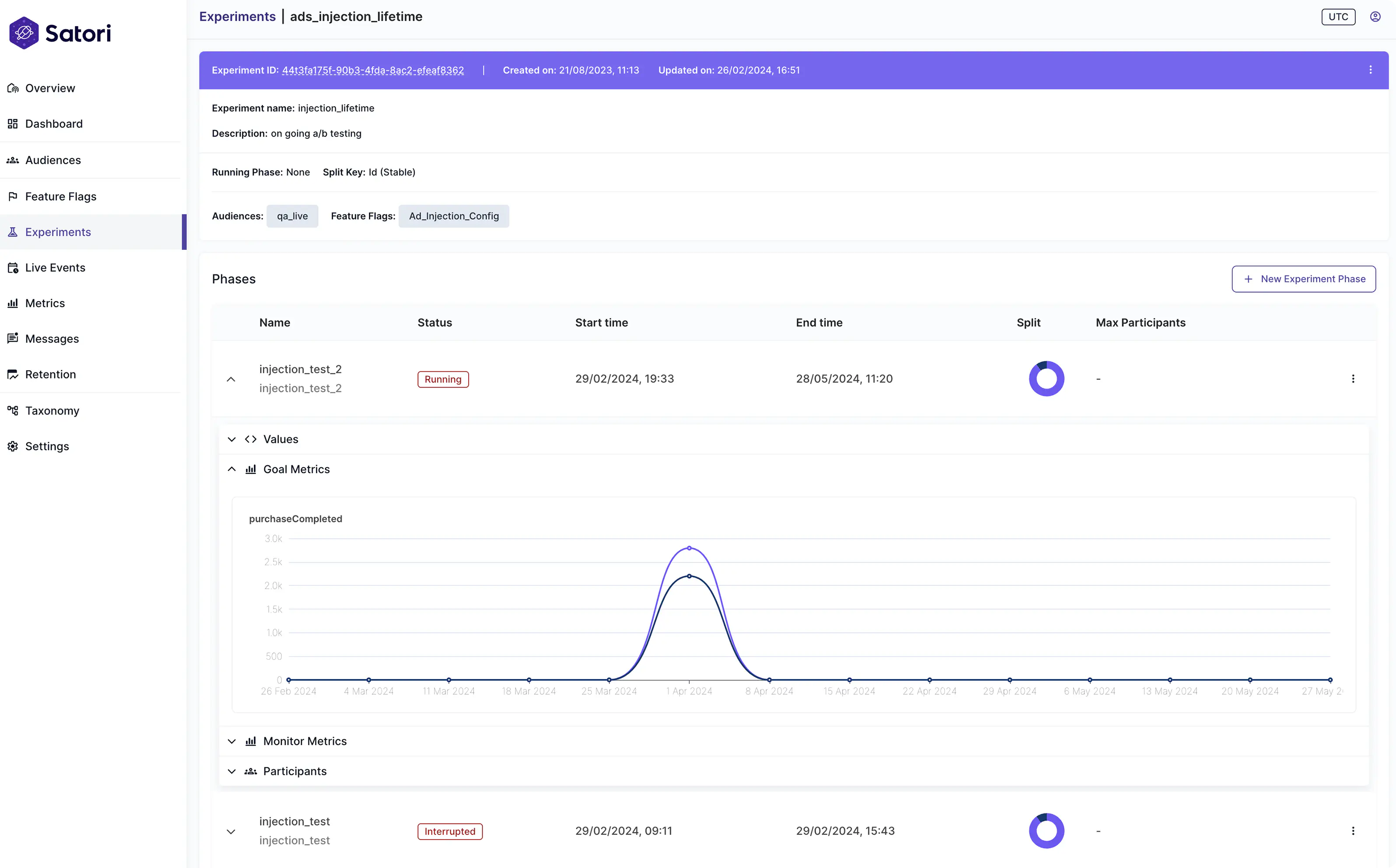
Experimentation Engine
Set up multi-phase experiments that carry tailored data for players in audiences.

Feature Flag / Remote Configuration
Set up permanent alternative values for players in different audiences.

Live Events
Run scheduled events, notify players and measure player reactivation in real-time.
Experimentation Engine
- Define the audiences that you want to be both included and excluded.
- Define your experiment phases with goal metrics to track, and monitor metrics for signals that should remain stable.
- Define your variants and their values for your experiment and Satori will automatically allocate the identities in each audience to the variants.
- Schedule experiments in the future, and add phases as the experiment continues.
Remote Configuration / Feature Flags
- All players will receive a default feature flag unless there is a variant.
- Variants have different values and are applied to audiences with the option of multiple audiences per variant.
- Feature flags can also be used without a variant as remote configuration.
- Promote experiment variants to permanent feature flags.
Live Events
- Intended for data and content that are periodically available to game clients such as a weekly tournament or an annual event.
- Schedule changes to the game ahead of time and only toggle them on / off based on the Satori data
- Live events can run at the same time as experiments.
Segmentation engine and advanced audiences

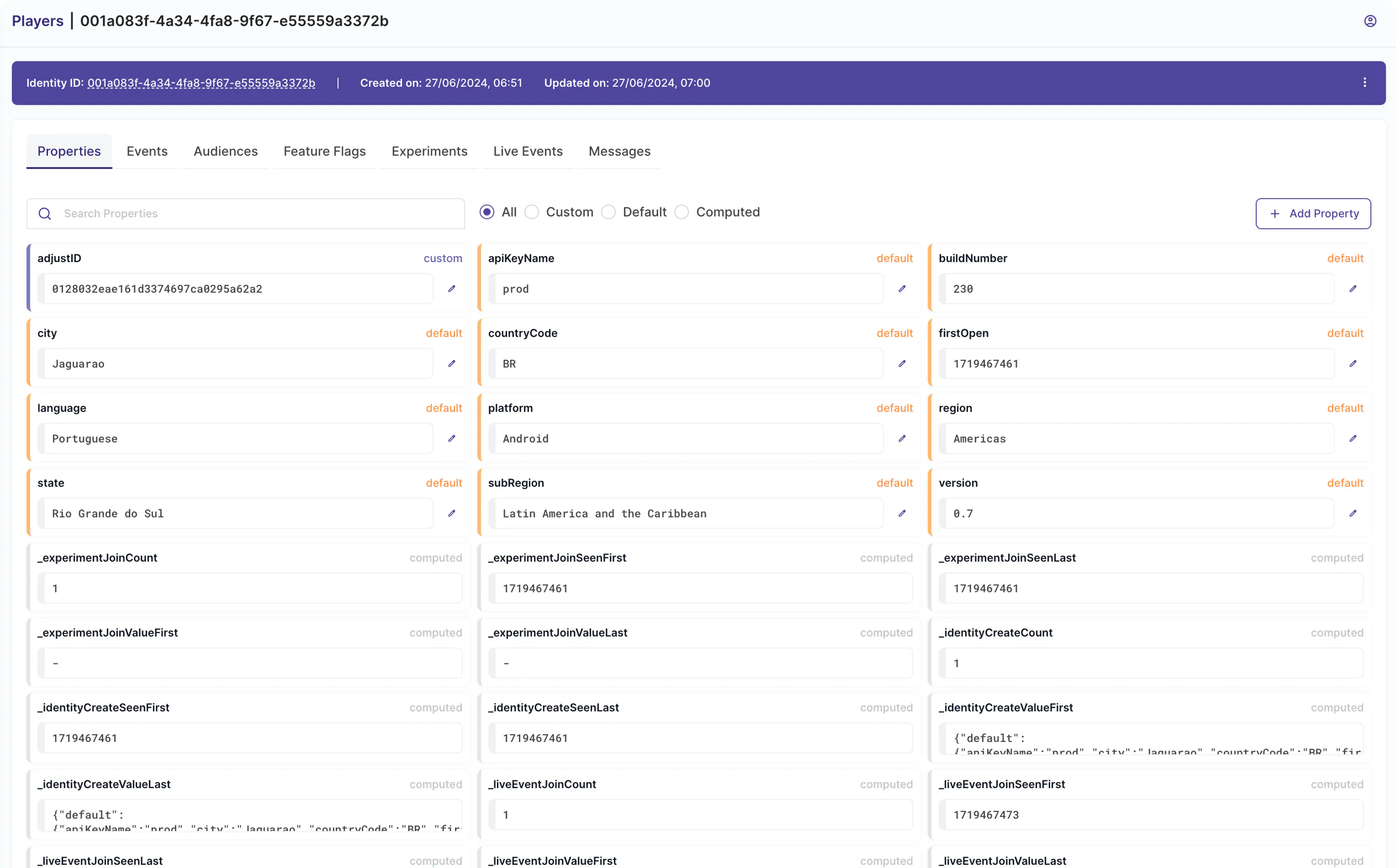
Identities
Create and track unique identifiers for players.

Properties
Store persistent and optionally auto-updated data to identities.

Audiences
Segment identities using filter expressions which match your gameplay.
Properties
- Default - Base properties that Satori ships with; they are always sent by the client SDK automatically (e.g. CountryCode).
- Custom - Define a taxonomy of gameplay specific properties that clients can send to be used with LiveOps and Experimentation in Satori.
- Computed - Auto-calculated by event names received from the client, stored by Satori per identity (e.g. _sessionStartCount).
Audiences
- Audiences auto-refresh continuously to add/remove identities.
- Define an inclusion and exclusion list to override identities in the audience.
- Filter identities based on identity properties.
- Import audience membership information from 3rd party systems.
Audience Filters
- Powerful filter expression rules applied to identity properties.
- Write simple filter expressions or utilize form mode with easy dropdown selectors
- Built-in functions to help with mathematical and time-based calculations.
- Satori leverages state of the art time-chunking for fast analytics queries.
Event capture and data pipeline

Scalable event capture pipeline
Effortlessly increase pipeline processing power by running as a cluster.

Nakama integration
Nakama publishes events to Satori, as well as uses it to personalize responses to clients based on feature flags and experiments.

Export events to Snowflake, BigQuery, Redshift, S3, and Databricks
First-party support to export raw data to Snowflake, BigQuery, Redshift, S3, and Databricks (Parquet via S3).
High Performance Event Pipeline
- Achieve Top-50 mobile game event throughput performance effortlessly.
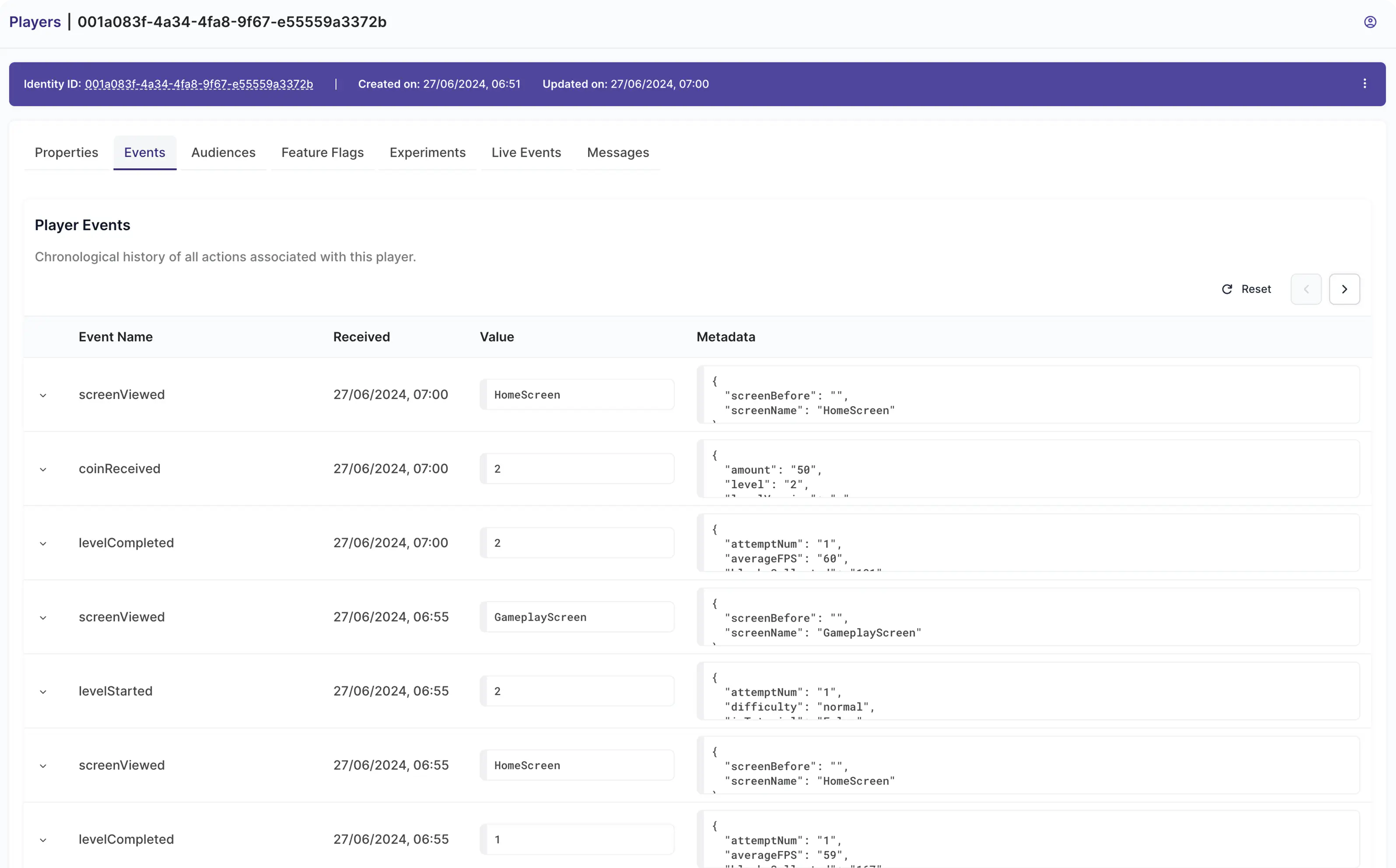
- Real-time event analysis which updates identity properties derived from events.
- Built-in events to track session start/end, purchase actions, and more.
- Real-time event stream to debug and observe player actions.
Event Taxonomy
- Define a taxonomy to ensure client compatibility with data pipelines.
- Taxonomy helps ensure clients send required minimal data in a structured format.
- Use taxonomy for events and properties to build custom UIs in the Satori Console.
Data Lake Streaming
- Export data to your own data lake system.
- Export raw data in real-time to multiple adapters at the same time.
- Run additional data analytics externally to Satori.
- Run BI queries in your Data Lake against data aggregated from multiple sources.
- Use segmentation results as specialized Audiences in Satori.
Analytics, retention, and funnels

Retention Graphs
Built-in first class graphs to measure D0–D7, D14, and D30 user retention.

Monitor & Guard Metrics
Set up custom metrics and associate monitor metrics with experiments and live events to watch for unintended side effects.

Funnel Analysis
Visualize player activity over a sequence of events.
Retention Graphs
- Customize the events that must be seen daily to constitute an active user.
- Review player activity over time in retention matrixes.
- See how Live Events and Experiments influence the retention numbers.
- Set up alerts when retention begins to drop.
Funnel Analysis
- Mirror the complex activities a user is expected to perform and optimize the player experience to avoid drop-offs.
- Mix in user audiences, experiments, flags and live events data to help analyze user behavior.
- Set up thresholds and get notified when anomalies are detected in your funnel.
Custom graph views
- Set up as many custom graphs to monitor metric performance as you would like.
- Superimpose multiple metrics on the same graph so primary (goal) metrics aren’t hiding side effects on monitor metrics.
- Pop graphs onto separate views for presentations.
- Export raw data to Snowflake, BigQuery, Redshift, S3, or Databricks (Parquet/S3) for mixing with other data sources.

Deep integration with Nakama and Hiro.

Deploy on Heroic Cloud, or integrate deeply in your stack via Private Cloud.

Open-source SDKs (Unity, Unreal/C++, JavaScript, Java, Godot, Dart/Flutter, Swift, Defold)
Ready to grow your game?
Get Started
