# Godot
**URL:** https://heroiclabs.com/docs/zh/nakama/client-libraries/godot/
**Summary:** 官方Godot客户端实时处理与服务器的所有通信。它实现了服务器中的所有功能。本指南将展示如何开发一项游戏的Nakama特定部分,从而展示如何在Godot中使用Nakama的核心功能。
---
# Nakama Godot客户端指南
本客户端库指南将展示如何开发名为Sagi-shi(“Imposter”的日语名称)游戏的Nakama特定部分(无完整的游戏逻辑或UI),此游戏受[Among Us(外部)](https://www.innersloth.com/games/among-us/)启发,从而展示如何在**Godot**中使用Nakama的核心功能。
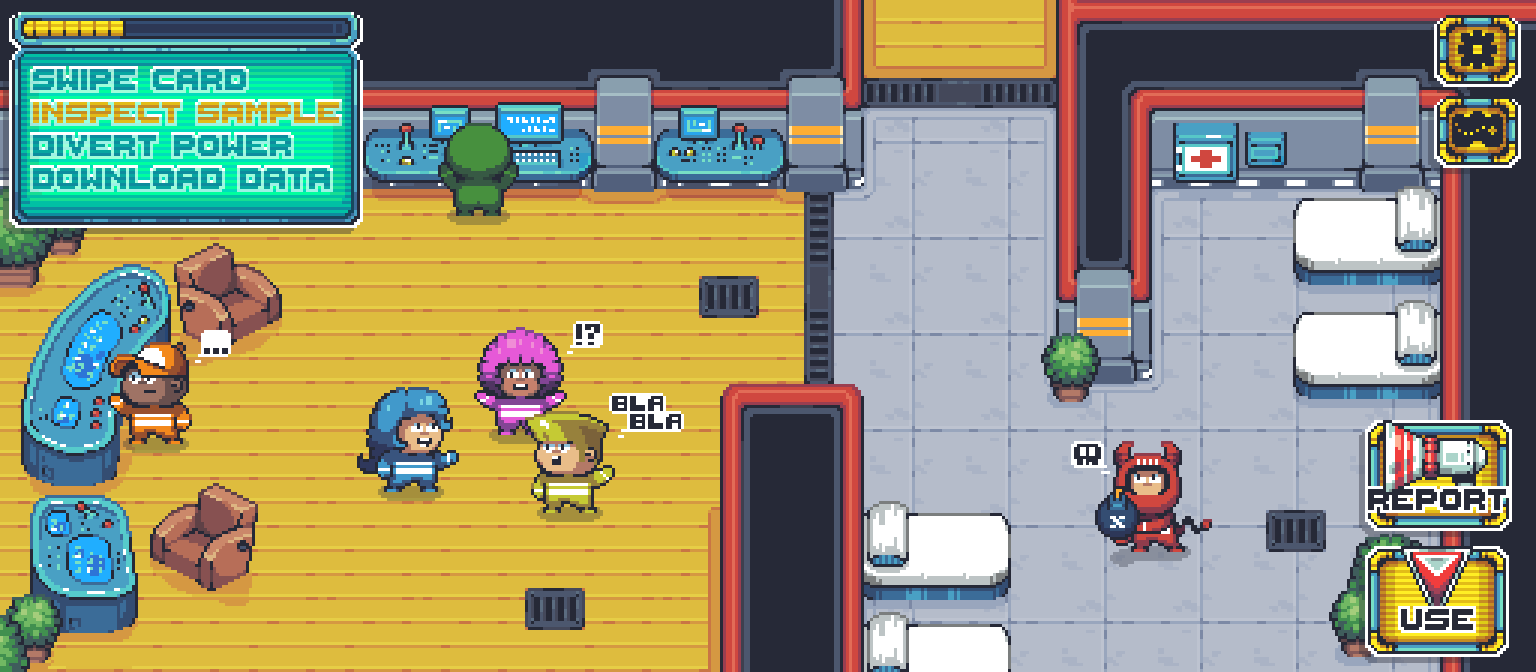 Sagi-shi gameplay
## 前提条件
开始之前,确保您已经:
* 安装[Nakama服务器](../../getting-started/install/docker/)
* [下载并安装Godot](https://godotengine.org/download)
* [安装Nakama Godot SDK](#installation)
### 安装
可通过以下方式下载客户端:
* [Godot资产库](https://godotengine.org/asset-library/asset)
* [Heroic Labs GitHub发布页面](https://github.com/heroiclabs/nakama-godot/releases/latest)
下载客户端压缩包后,将其内容提取到您的Godot项目文件夹。
通过`Project -> Project Settings -> Autoload`菜单添加`Nakama.gd` 单例模式(见 `addons/com.heroiclabs.nakama/`)。
创建[客户端对象](#nakama-client)与服务器交互。
#### 更新
Nakama Godot [更改日志](https://github.com/heroiclabs/nakama-godot/blob/master/CHANGELOG.md)中。
### 异步编程
许多Nakama API采用异步、非阻塞操作方式,在Godot SDK中可以作为异步方法使用。
Sagi-shi使用`await`运算符调用异步方法,不去阻止调用线程,从而提高游戏响应能力和效率。
```gdscript
yield(client.authenticate_device_async(""), "completed")
```
阅读[官方Godot文档](https://docs.godotengine.org/en/stable/tutorials/scripting/gdscript/gdscript_basics.html#awaiting-for-signals-or-coroutines)中关于共常式和`await`的更多内容。
### 处理异常
网络编程需要额外的保护措施,防止出现连接和有效负载方面的问题。
Godot不支持异常处理,所以我们可以在发出异步请求时使用以下`is_exception()`方法:
```gdscript
var invalid_session = NakamaSession.new() # An empty session, which will cause an error
var invalid_account = yield(client.get_account_async(invalid_session), "completed")
print(invalid_account) # This will print the exception
if invalid_account.is_exception():
print("We got an exception.")
```
### 对数据进行序列化和反序列化处理
通过网络发送和接收数据时,需要对数据进行适当的序列化和反序列化处理。两种最常见的方式是使用JSON和二进制数据。
两种示例都将展示如何对以下`Dictionary`对象进行序列化和反序列化处理,但也可以用于任何`Variant`对象。
```gdscript
var data = {
"Key": "Value",
"AnotherKey": "AnotherValue"
}
```
#### JSON
Godot本地支持使用全局`JSON`对象对JSON进行序列化和反序列化处理。
```gdscript
// Serialize
var serialized = JSON.print(data)
// Deserialize
var deserialized = JSON.parse(serialized).result
```
#### 二进制
Godot可以使用全局访问`var2bytes`和`bytes2var`函数对`byte[]`阵列进行序列化和反序列化处理。
```gdscript
// Serialize
var serialized = var2bytes(data)
// Deserialize
var deserialized = bytes2var(serialized)
```
## 新手入门
新手入门需要使用Nakama客户端和套接字对象开始创建Sagi-shi和您自己的游戏。
### Nakama客户端
Nakama客户端与Nakama服务器连接,是访问Nakama功能的入口。建议为每个游戏的每个服务器创建一个客户端。
要为Sagi-shi创建一个客户端,请将以下详细连接信息输入您的服务器:
```gdscript
extends Node
var client : NakamaClient
func _ready():
client = Nakama.create_client("defaultkey", "127.0.0.1", 7350, "http")
```
### 配置请求超时时长
客户端对Nakama发出的每个请求必须在一定时间内完成,超过这个时间段会被认为超时。您可以通过在客户端设置`timeout`值来配置该时间段的长度(以秒为单位):
```gdscript
client.timeout = 10
```
### Nakama套接字
Nakama套接字用于玩法和实时延迟敏感功能,如聊天、派对、比赛和RPC。
从客户端创建套接字:
```gdscript
# Make this a node variable or it will disconnect when the function that creates it returns
onready var socket = Nakama.create_socket_from(client)
func _ready():
var connected : NakamaAsyncResult = yield(socket.connect_async(session), "completed")
if connected.is_exception():
print("An error occurred: %s" % connected)
return
print("Socket connected.")
```
## 身份验证
Nakama支持多种[身份验证方法](../../concepts/authentication/),还支持在服务器上创建[自定义身份验证](../../concepts/authentication/#custom)。
Sagi-shi将通过链接到同一个用户账户的设备和Facebook进行身份验证,以便玩家可以使用不同的设备玩游戏。
Sagi-shi gameplay
## 前提条件
开始之前,确保您已经:
* 安装[Nakama服务器](../../getting-started/install/docker/)
* [下载并安装Godot](https://godotengine.org/download)
* [安装Nakama Godot SDK](#installation)
### 安装
可通过以下方式下载客户端:
* [Godot资产库](https://godotengine.org/asset-library/asset)
* [Heroic Labs GitHub发布页面](https://github.com/heroiclabs/nakama-godot/releases/latest)
下载客户端压缩包后,将其内容提取到您的Godot项目文件夹。
通过`Project -> Project Settings -> Autoload`菜单添加`Nakama.gd` 单例模式(见 `addons/com.heroiclabs.nakama/`)。
创建[客户端对象](#nakama-client)与服务器交互。
#### 更新
Nakama Godot [更改日志](https://github.com/heroiclabs/nakama-godot/blob/master/CHANGELOG.md)中。
### 异步编程
许多Nakama API采用异步、非阻塞操作方式,在Godot SDK中可以作为异步方法使用。
Sagi-shi使用`await`运算符调用异步方法,不去阻止调用线程,从而提高游戏响应能力和效率。
```gdscript
yield(client.authenticate_device_async(""), "completed")
```
阅读[官方Godot文档](https://docs.godotengine.org/en/stable/tutorials/scripting/gdscript/gdscript_basics.html#awaiting-for-signals-or-coroutines)中关于共常式和`await`的更多内容。
### 处理异常
网络编程需要额外的保护措施,防止出现连接和有效负载方面的问题。
Godot不支持异常处理,所以我们可以在发出异步请求时使用以下`is_exception()`方法:
```gdscript
var invalid_session = NakamaSession.new() # An empty session, which will cause an error
var invalid_account = yield(client.get_account_async(invalid_session), "completed")
print(invalid_account) # This will print the exception
if invalid_account.is_exception():
print("We got an exception.")
```
### 对数据进行序列化和反序列化处理
通过网络发送和接收数据时,需要对数据进行适当的序列化和反序列化处理。两种最常见的方式是使用JSON和二进制数据。
两种示例都将展示如何对以下`Dictionary`对象进行序列化和反序列化处理,但也可以用于任何`Variant`对象。
```gdscript
var data = {
"Key": "Value",
"AnotherKey": "AnotherValue"
}
```
#### JSON
Godot本地支持使用全局`JSON`对象对JSON进行序列化和反序列化处理。
```gdscript
// Serialize
var serialized = JSON.print(data)
// Deserialize
var deserialized = JSON.parse(serialized).result
```
#### 二进制
Godot可以使用全局访问`var2bytes`和`bytes2var`函数对`byte[]`阵列进行序列化和反序列化处理。
```gdscript
// Serialize
var serialized = var2bytes(data)
// Deserialize
var deserialized = bytes2var(serialized)
```
## 新手入门
新手入门需要使用Nakama客户端和套接字对象开始创建Sagi-shi和您自己的游戏。
### Nakama客户端
Nakama客户端与Nakama服务器连接,是访问Nakama功能的入口。建议为每个游戏的每个服务器创建一个客户端。
要为Sagi-shi创建一个客户端,请将以下详细连接信息输入您的服务器:
```gdscript
extends Node
var client : NakamaClient
func _ready():
client = Nakama.create_client("defaultkey", "127.0.0.1", 7350, "http")
```
### 配置请求超时时长
客户端对Nakama发出的每个请求必须在一定时间内完成,超过这个时间段会被认为超时。您可以通过在客户端设置`timeout`值来配置该时间段的长度(以秒为单位):
```gdscript
client.timeout = 10
```
### Nakama套接字
Nakama套接字用于玩法和实时延迟敏感功能,如聊天、派对、比赛和RPC。
从客户端创建套接字:
```gdscript
# Make this a node variable or it will disconnect when the function that creates it returns
onready var socket = Nakama.create_socket_from(client)
func _ready():
var connected : NakamaAsyncResult = yield(socket.connect_async(session), "completed")
if connected.is_exception():
print("An error occurred: %s" % connected)
return
print("Socket connected.")
```
## 身份验证
Nakama支持多种[身份验证方法](../../concepts/authentication/),还支持在服务器上创建[自定义身份验证](../../concepts/authentication/#custom)。
Sagi-shi将通过链接到同一个用户账户的设备和Facebook进行身份验证,以便玩家可以使用不同的设备玩游戏。
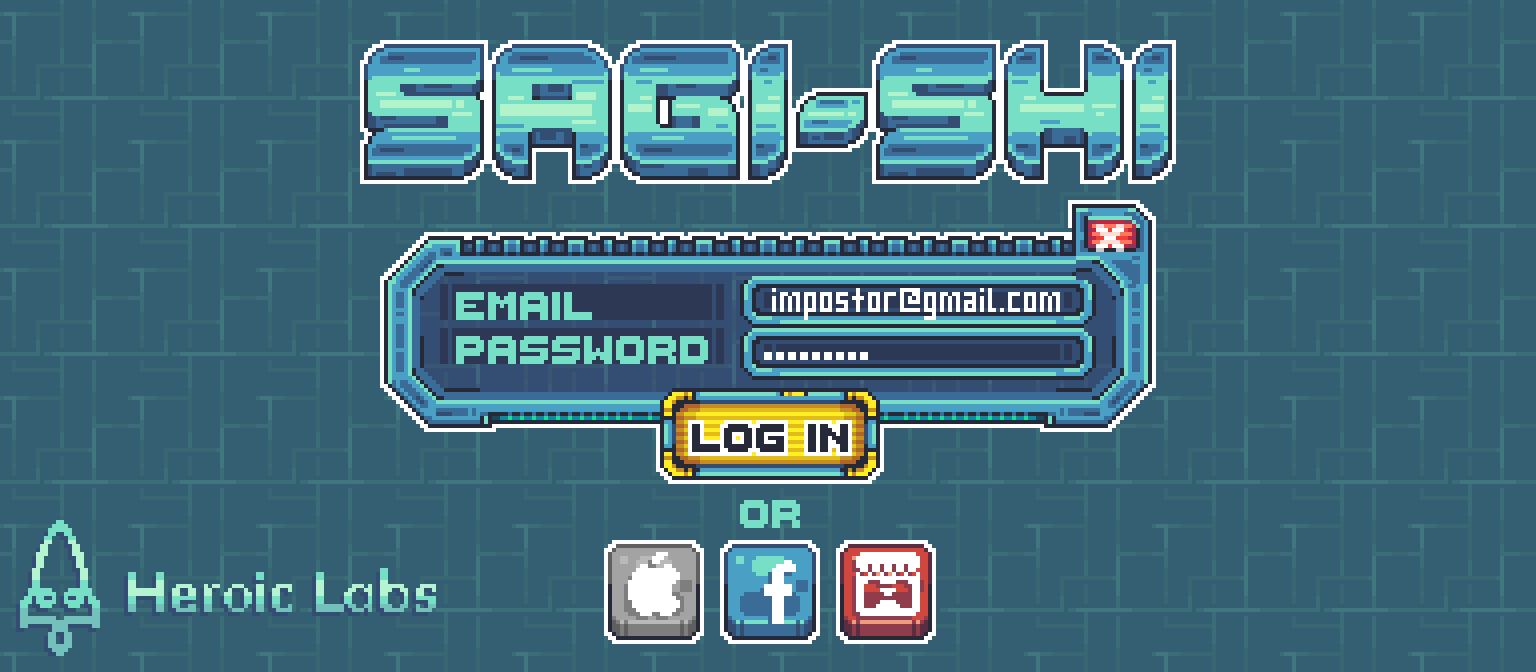 Login screen and Authentication options
### 设备身份验证
Nakama[设备身份验证](../../concepts/authentication/#device)使用物理设备的唯一标识符轻松验证用户,也可以为没有账户的设备创建账户。
仅使用设备身份验证时,您无需使用登录UI,因为游戏启动时会自动验证玩家身份。
身份验证是从Nakama客户端实例访问Nakama功能的示例。
```gdscript
# Get the System's unique device identifier
var device_id = OS.get_unique_id()
# Authenticate with the Nakama server using Device Authentication
var session : NakamaSession = yield(client.authenticate_device_async(device_id), "completed")
if session.is_exception():
print("An error occurred: %s" % session)
return
print("Successfully authenticated: %s" % session)
```
### Facebook身份验证
Nakama [Facebook身份验证](../../concepts/authentication/#facebook)操作简便,您可以有选择性地导入玩家的Facebook好友,并将这些好友添加到玩家的Nakama好友列表。
```gdscript
var oauth_token = ""
var import_friends = true
var session : NakamaSession = yield(client.authenticate_facebook_async(oauth_token, import_friends), "completed")
if session.is_exception():
print("An error occurred: %s" % session)
return
print("Successfully authenticated: %s" % session)
```
### 自定义身份验证
Nakama支持[自定义身份验证](../../concepts/authentication/#custom)方法,以便与其他身份服务相集成。
示例请见[Itch.io自定义身份验证](../../client-libraries/snippets/custom-authentication/)片段。
### 链接身份验证
Nakama允许玩家在进行身份验证后通过[链接身份验证](../../concepts/authentication/#link-or-unlink) 方法前往玩家账户。
**链接设备ID身份验证**
```gdscript
var device_id = ""
# Link Device Authentication to existing player account.
var linked : NakamaAsyncResult = yield(client.link_custom_async(session, device_id), "completed")
if linked.is_exception():
print("An error occurred: %s" % linked)
return
print("Id '%s' linked for user '%s'" % [device_id, session.user_id])
```
**链接Facebook身份验证**
```gdscript
var oauth_token = ""
var import_friends = true
var session : NakamaSession = yield(client.link_facebook_async(session, oauth_token, import_friends), "completed")
if session.is_exception():
print("An error occurred: %s" % linked)
return
print("Facebook authentication linked for user '%s'" % [session.user_id])
```
### 会话变量
在身份验证时可以存储Nakama [会话变量](../../concepts/session/#session-variables),只要会话处于活动状态,即可在客户端和服务器上使用该变量。
Sagi-shi使用会话变量执行分析、推荐和奖励计划等。
在进行身份验证时将会话变量作为参数传递即可存储会话变量:
```gdscript
var vars = {
"device_os" : OS.get_name,
"device_model" : OS.get_model_name,
"invite_user_id" : ",
# ...
}
var session : NakamaSession = yield(client.authenticate_device_async("", null, true, vars), "completed")
```
要访问客户端的会话变量,请使用`Session`对象上的`Vars`属性:
```gdscript
var device_os = session.vars["device_os"];
```
### 会话生命周期
Nakama [会话](../../concepts/session/)在您的服务器[配置](../../getting-started/configuration/#session)中设定的时间之后过期。使不活动会话过期是良好的安全做法。
Nakama提供了多种恢复会话的方法,例如Sagi-shi玩家重新启动游戏,或在游戏过程中刷新令牌保持会话处于活动状态。
使用身份验证并刷新会话对象上的令牌可以恢复或刷新会话。
恢复会话而不必重新进行身份验证:
```gdscript
var auth_token = "restored from save location"
var session = NakamaClient.restore_session(auth_token)
```
检查会话是否已过期或即将过期,刷新会话使其保持活动状态:
```gdscript
# Check whether a session has expired or is close to expiry
if session.expired:
# Attempt to refresh the existing session.
session = yield(client.session_refresh_async(session), "completed)
if session.is_exception():
# Couldn't refresh the session so reauthenticate.
session = yield(client.authenticate_device_async(device_id), "completed")
# Save the new refresh token
.set_value("refresh_token", session.refresh_token)
}
# Save the new auth token
.set_value("auth_token", session.auth_token)
}
```
### 结束会话
退出登录并结束当前会话:
```gdscript
yield(client.session_logout_async(session), "completed")
```
## 用户账户
Nakama [用户账户](../../concepts/user-accounts/)存储Nakama定义的用户信息和自定义的开发者元数据。
Sagi-shi允许玩家编辑账户,并存储游戏进度和游戏内商品等内容的元数据。
Login screen and Authentication options
### 设备身份验证
Nakama[设备身份验证](../../concepts/authentication/#device)使用物理设备的唯一标识符轻松验证用户,也可以为没有账户的设备创建账户。
仅使用设备身份验证时,您无需使用登录UI,因为游戏启动时会自动验证玩家身份。
身份验证是从Nakama客户端实例访问Nakama功能的示例。
```gdscript
# Get the System's unique device identifier
var device_id = OS.get_unique_id()
# Authenticate with the Nakama server using Device Authentication
var session : NakamaSession = yield(client.authenticate_device_async(device_id), "completed")
if session.is_exception():
print("An error occurred: %s" % session)
return
print("Successfully authenticated: %s" % session)
```
### Facebook身份验证
Nakama [Facebook身份验证](../../concepts/authentication/#facebook)操作简便,您可以有选择性地导入玩家的Facebook好友,并将这些好友添加到玩家的Nakama好友列表。
```gdscript
var oauth_token = ""
var import_friends = true
var session : NakamaSession = yield(client.authenticate_facebook_async(oauth_token, import_friends), "completed")
if session.is_exception():
print("An error occurred: %s" % session)
return
print("Successfully authenticated: %s" % session)
```
### 自定义身份验证
Nakama支持[自定义身份验证](../../concepts/authentication/#custom)方法,以便与其他身份服务相集成。
示例请见[Itch.io自定义身份验证](../../client-libraries/snippets/custom-authentication/)片段。
### 链接身份验证
Nakama允许玩家在进行身份验证后通过[链接身份验证](../../concepts/authentication/#link-or-unlink) 方法前往玩家账户。
**链接设备ID身份验证**
```gdscript
var device_id = ""
# Link Device Authentication to existing player account.
var linked : NakamaAsyncResult = yield(client.link_custom_async(session, device_id), "completed")
if linked.is_exception():
print("An error occurred: %s" % linked)
return
print("Id '%s' linked for user '%s'" % [device_id, session.user_id])
```
**链接Facebook身份验证**
```gdscript
var oauth_token = ""
var import_friends = true
var session : NakamaSession = yield(client.link_facebook_async(session, oauth_token, import_friends), "completed")
if session.is_exception():
print("An error occurred: %s" % linked)
return
print("Facebook authentication linked for user '%s'" % [session.user_id])
```
### 会话变量
在身份验证时可以存储Nakama [会话变量](../../concepts/session/#session-variables),只要会话处于活动状态,即可在客户端和服务器上使用该变量。
Sagi-shi使用会话变量执行分析、推荐和奖励计划等。
在进行身份验证时将会话变量作为参数传递即可存储会话变量:
```gdscript
var vars = {
"device_os" : OS.get_name,
"device_model" : OS.get_model_name,
"invite_user_id" : ",
# ...
}
var session : NakamaSession = yield(client.authenticate_device_async("", null, true, vars), "completed")
```
要访问客户端的会话变量,请使用`Session`对象上的`Vars`属性:
```gdscript
var device_os = session.vars["device_os"];
```
### 会话生命周期
Nakama [会话](../../concepts/session/)在您的服务器[配置](../../getting-started/configuration/#session)中设定的时间之后过期。使不活动会话过期是良好的安全做法。
Nakama提供了多种恢复会话的方法,例如Sagi-shi玩家重新启动游戏,或在游戏过程中刷新令牌保持会话处于活动状态。
使用身份验证并刷新会话对象上的令牌可以恢复或刷新会话。
恢复会话而不必重新进行身份验证:
```gdscript
var auth_token = "restored from save location"
var session = NakamaClient.restore_session(auth_token)
```
检查会话是否已过期或即将过期,刷新会话使其保持活动状态:
```gdscript
# Check whether a session has expired or is close to expiry
if session.expired:
# Attempt to refresh the existing session.
session = yield(client.session_refresh_async(session), "completed)
if session.is_exception():
# Couldn't refresh the session so reauthenticate.
session = yield(client.authenticate_device_async(device_id), "completed")
# Save the new refresh token
.set_value("refresh_token", session.refresh_token)
}
# Save the new auth token
.set_value("auth_token", session.auth_token)
}
```
### 结束会话
退出登录并结束当前会话:
```gdscript
yield(client.session_logout_async(session), "completed")
```
## 用户账户
Nakama [用户账户](../../concepts/user-accounts/)存储Nakama定义的用户信息和自定义的开发者元数据。
Sagi-shi允许玩家编辑账户,并存储游戏进度和游戏内商品等内容的元数据。
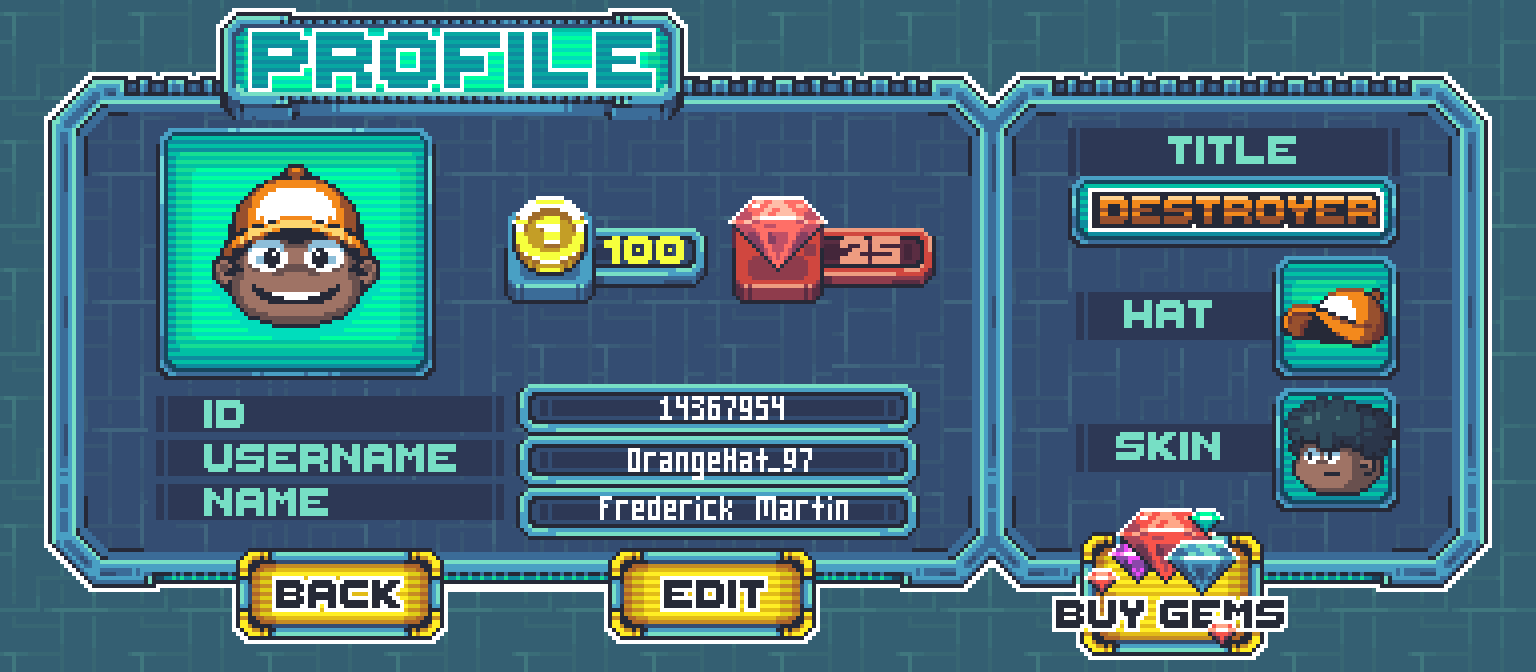 Player profile
### 获取用户账户
通过经身份验证的会话可以访问Nakama的许多功能,比如[获取用户帐户](../../concepts/user-accounts/#fetch-account)。
获取Sagi-shi玩家的完整用户账户,包括基本[用户信息](../../concepts/user-accounts/#fetch-account) 和用户ID:
```gdscript
var account = yield(client.get_account_async(session), "completed")
var username = account.user.username
var avatar_url = account.user.avatar_url
var user_id = account.user.id
```
### 更新用户账户
Nakama为更新服务器存储的资源(如用户账户)提供了简单的方法。
Sagi-shi玩家需要能够更新其公开资料:
```gdscript
var new_username = "NotTheImp0ster"
var new_display_name = "Innocent Dave"
var new_avatar_url = "https://example.com/imposter.png"
var new_lang_tag = "en"
var new_location = "Edinburgh"
var new_timezone = "BST"
yield(client.update_account_async(session, new_username, new_display_name, new_avatar_url, new_lang_tag, new_location, new_timezone), "completed")
```
### 获取用户
除了获取玩家当前经身份验证的用户账户外,Nakama还可以方便地从其他玩家的ID或用户名中获取其他玩家公开资料列表。
结合使用Nakama的其他功能时,Sagi-shi可以通过这种方法显示用户资料:
```gdscript
var ids = ["userid1", "userid2"]
var users : NakamaAPI.ApiUsers = yield(client.get_users_async(session, ids), "completed")
```
### 存储元数据
Nakama[用户元数据](../../concepts/user-accounts/#user-metadata)允许开发人员使用公开的用户字段扩展用户账户。
仅可在服务器上更新用户元数据。示例请见[更新用户元数据](../../client-libraries/snippets/user-metadata)配方。
Sagi-shi将使用元数据存储玩家装备的游戏内商品:
### 读取元数据
定义描述元数据的类,并对JSON元数据进行语法解析:
```gdscript
class_name metadata
export(String) var title
export(String) var hat
export(String) var skin
# Get the updated account object
var account : NakamaAPI.ApiAccount = yield(client.get_account_async(session), "completed")
# Parse the account user metadata.
var metadata = JSON.parse(account.user.metadata)
Print("Title: %s", metadata.title)
Print("Hat: %s", metadata.hat)
Print("Skin: %s", metadata.skin)
```
### 钱包
Nakama[用户钱包](../../concepts/user-accounts/#virtual-wallet)可以将多种数字货币存储为字符串/整数的键/值对。
Sagi-shi玩家可以使用游戏内的虚拟货币解锁或购买头衔、皮肤和帽子。
#### 访问钱包
对用户账户中的JSON钱包数据进行语法解析:
```gdscript
var account : NakamaAPI.ApiAccount = yield(client.get_account_async(session), "completed")
var wallet = JSON.parse(account.wallet)
for currency in wallet
Print("%s, %s" % [currency, wallet[currency].string(int from)])
```
#### 更新钱包
仅可在服务器上更新钱包。示例请见[用户账户虚拟钱包](../../concepts/user-accounts/#virtual-wallet)文档。
#### 验证应用内的购买行为
Sagi-shi玩家可以通过应用程序内的购买行为购买游戏内的虚拟货币,这些购买行为需要经过服务器授权并且通过合法性验证。
示例请见[应用程序内购买行为验证](../../concepts/iap-validation/)文档。
## 存储引擎
Nakama[存储引擎](../../concepts/storage/)是为您的游戏而设计的,基于文件的分布式、可扩展存储解决方案。
通过存储引擎,您可以更好地控制数据在集合中的[访问方式](../../concepts/storage/permissions/#object-permissions)和[结构](../../concepts/storage/collections/)。
这些集合会被命名,并将JSON数据存储在唯一的键和用户ID下。
默认玩家拥有创建、读取、更新和删除自己的存储对象的全部权限。
Sagi-shi玩家可以解锁或购买存储引擎中存储的许多商品。
Player profile
### 获取用户账户
通过经身份验证的会话可以访问Nakama的许多功能,比如[获取用户帐户](../../concepts/user-accounts/#fetch-account)。
获取Sagi-shi玩家的完整用户账户,包括基本[用户信息](../../concepts/user-accounts/#fetch-account) 和用户ID:
```gdscript
var account = yield(client.get_account_async(session), "completed")
var username = account.user.username
var avatar_url = account.user.avatar_url
var user_id = account.user.id
```
### 更新用户账户
Nakama为更新服务器存储的资源(如用户账户)提供了简单的方法。
Sagi-shi玩家需要能够更新其公开资料:
```gdscript
var new_username = "NotTheImp0ster"
var new_display_name = "Innocent Dave"
var new_avatar_url = "https://example.com/imposter.png"
var new_lang_tag = "en"
var new_location = "Edinburgh"
var new_timezone = "BST"
yield(client.update_account_async(session, new_username, new_display_name, new_avatar_url, new_lang_tag, new_location, new_timezone), "completed")
```
### 获取用户
除了获取玩家当前经身份验证的用户账户外,Nakama还可以方便地从其他玩家的ID或用户名中获取其他玩家公开资料列表。
结合使用Nakama的其他功能时,Sagi-shi可以通过这种方法显示用户资料:
```gdscript
var ids = ["userid1", "userid2"]
var users : NakamaAPI.ApiUsers = yield(client.get_users_async(session, ids), "completed")
```
### 存储元数据
Nakama[用户元数据](../../concepts/user-accounts/#user-metadata)允许开发人员使用公开的用户字段扩展用户账户。
仅可在服务器上更新用户元数据。示例请见[更新用户元数据](../../client-libraries/snippets/user-metadata)配方。
Sagi-shi将使用元数据存储玩家装备的游戏内商品:
### 读取元数据
定义描述元数据的类,并对JSON元数据进行语法解析:
```gdscript
class_name metadata
export(String) var title
export(String) var hat
export(String) var skin
# Get the updated account object
var account : NakamaAPI.ApiAccount = yield(client.get_account_async(session), "completed")
# Parse the account user metadata.
var metadata = JSON.parse(account.user.metadata)
Print("Title: %s", metadata.title)
Print("Hat: %s", metadata.hat)
Print("Skin: %s", metadata.skin)
```
### 钱包
Nakama[用户钱包](../../concepts/user-accounts/#virtual-wallet)可以将多种数字货币存储为字符串/整数的键/值对。
Sagi-shi玩家可以使用游戏内的虚拟货币解锁或购买头衔、皮肤和帽子。
#### 访问钱包
对用户账户中的JSON钱包数据进行语法解析:
```gdscript
var account : NakamaAPI.ApiAccount = yield(client.get_account_async(session), "completed")
var wallet = JSON.parse(account.wallet)
for currency in wallet
Print("%s, %s" % [currency, wallet[currency].string(int from)])
```
#### 更新钱包
仅可在服务器上更新钱包。示例请见[用户账户虚拟钱包](../../concepts/user-accounts/#virtual-wallet)文档。
#### 验证应用内的购买行为
Sagi-shi玩家可以通过应用程序内的购买行为购买游戏内的虚拟货币,这些购买行为需要经过服务器授权并且通过合法性验证。
示例请见[应用程序内购买行为验证](../../concepts/iap-validation/)文档。
## 存储引擎
Nakama[存储引擎](../../concepts/storage/)是为您的游戏而设计的,基于文件的分布式、可扩展存储解决方案。
通过存储引擎,您可以更好地控制数据在集合中的[访问方式](../../concepts/storage/permissions/#object-permissions)和[结构](../../concepts/storage/collections/)。
这些集合会被命名,并将JSON数据存储在唯一的键和用户ID下。
默认玩家拥有创建、读取、更新和删除自己的存储对象的全部权限。
Sagi-shi玩家可以解锁或购买存储引擎中存储的许多商品。
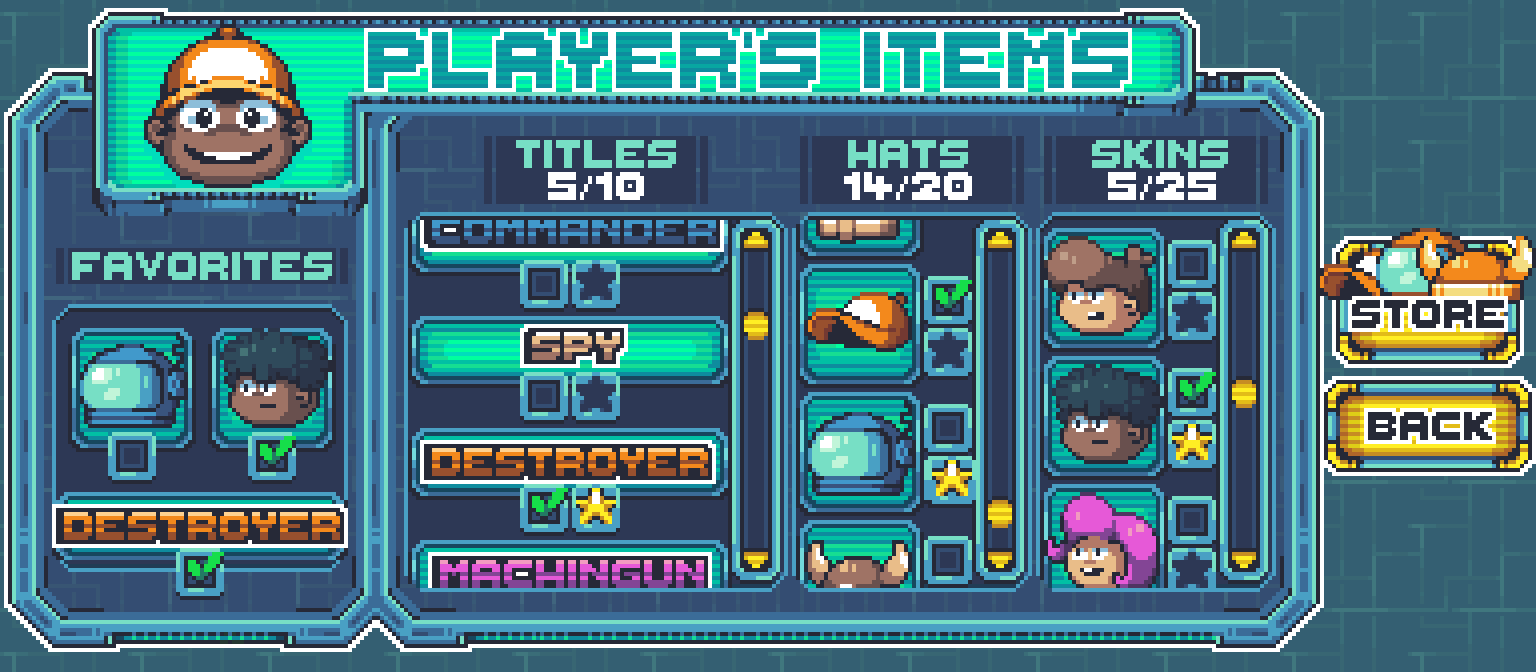 Player items
### 读取存储对象
读取存储对象并对JSON数据进行语法解析:
```gdscript
var read_object_id = NakamaStorageObjectId.new("unlocks", "hats", session.user_id)
var result : NakamaAPI.ApiStorageObjects = yield(client.read_storage_objects_async(session, read_object_id), "completed")
print("Unlocked hats: ")
for o in result.objects:
print("%s" % o)
```
要读取其他玩家的公开存储对象,应该使用其`user_id`。
玩家仅可读取自己拥有的存储对象或公开的存储对象(`PermissionRead`值为`2`)。
### 写入存储对象
Nakama允许开发人员从客户端和服务器写入存储引擎。
在决定写入逻辑的存放位置时,要考虑恶意用户会对您的游戏和财物产生何种不利影响,例如仅允许经过授权后写入数据(即游戏解锁或进度)。
Sagi-shi允许玩家收藏商品,以便在UI界面轻松查看这些商品,并通过客户端安全地写入这些数据。
将存储对象写入存储引擎:
```gdscript
var favorite_hats = ["cowboy", "alien"]
var can_read = 1 # Only the server and owner can read
var can_write = 1 # The server and owner can write
var acks : NakamaAPI.ApiStorageObjectAcks = yield(client.write_storage_objects_async(session, [
NakamaWriteStorageObject.new("hats", "favorite_hats", can_read, can_write)]), "completed")
```
您也可以将多个对象传递到`write_storage_objects_async`方法:
```gdscript
var acks : NakamaAPI.ApiStorageObjectAcks = yield(client.write_storage_objects_async(session, [
NakamaWriteStorageObject.new(...),
NakamaWriteStorageObject.new(...)
]), "completed")
```
### 条件性写入
存储引擎[条件性写入](../../concepts/storage/collections/#conditional-writes)确保仅当对象在您访问后未改变时才会发生写入操作。
这样可以保护您的数据不被覆盖,例如,Sagi-shi服务器可能在玩家上次访问对象后更新对象。
要执行条件性写入,要用最新的对象版本向写入存储对象添加版本:
```gdscript
# Assuming we already have a storage object
var favorite_hats = ["cowboy", "alien"]
var can_read = 1 # Only the server and owner can read
var can_write = 1 # The server and owner can write
var version =
var acks : NakamaAPI.ApiStorageObjectAcks = yield(client.write_storage_objects_async(session, [
NakamaWriteStorageObject.new("hats", "favorite_hats", can_read, can_write, version)]), "completed")
if acks.is_exception():
print("An error occurred: %s" % acks)
return
```
### 列出存储对象
您可以在一个集合中列出玩家可以查看的所有存储对象,而不是通过单独的键发出多次读取请求。
Sagi-shi列出玩家未解锁或已购买的所有头衔、帽子和皮肤:
```gdscript
var limit = 3
var unlocks_object_list : NakamaAPI.ApiStorageObjectList = yield(client.list_storage_objects_async(session, "titles", "hats", "skins", session.user_id, limit), "completed")
if unlocks_object_list.is_exception():
print("An error occurred: %s" % unlocks_object_list)
return
print("Unlocked objects: ")
for o in unlocks_object_list.objects:
print("%s" % o)
```
### 分页结果
Nakama列出结果的方法会退回游标,将其传递给Nakama的后续调用,指示在集合中检索对象的起始点。
例如:
- 如果游标的值为5,您将从第五个对象开始获取结果。
- 如果游标的值为`null`,您将从第一个对象开始获取结果。
```gdscript
object_list : NakamaAPI.ApiStorageObjectList = yield(client.list_storage_objects_async(session, "
Player items
### 读取存储对象
读取存储对象并对JSON数据进行语法解析:
```gdscript
var read_object_id = NakamaStorageObjectId.new("unlocks", "hats", session.user_id)
var result : NakamaAPI.ApiStorageObjects = yield(client.read_storage_objects_async(session, read_object_id), "completed")
print("Unlocked hats: ")
for o in result.objects:
print("%s" % o)
```
要读取其他玩家的公开存储对象,应该使用其`user_id`。
玩家仅可读取自己拥有的存储对象或公开的存储对象(`PermissionRead`值为`2`)。
### 写入存储对象
Nakama允许开发人员从客户端和服务器写入存储引擎。
在决定写入逻辑的存放位置时,要考虑恶意用户会对您的游戏和财物产生何种不利影响,例如仅允许经过授权后写入数据(即游戏解锁或进度)。
Sagi-shi允许玩家收藏商品,以便在UI界面轻松查看这些商品,并通过客户端安全地写入这些数据。
将存储对象写入存储引擎:
```gdscript
var favorite_hats = ["cowboy", "alien"]
var can_read = 1 # Only the server and owner can read
var can_write = 1 # The server and owner can write
var acks : NakamaAPI.ApiStorageObjectAcks = yield(client.write_storage_objects_async(session, [
NakamaWriteStorageObject.new("hats", "favorite_hats", can_read, can_write)]), "completed")
```
您也可以将多个对象传递到`write_storage_objects_async`方法:
```gdscript
var acks : NakamaAPI.ApiStorageObjectAcks = yield(client.write_storage_objects_async(session, [
NakamaWriteStorageObject.new(...),
NakamaWriteStorageObject.new(...)
]), "completed")
```
### 条件性写入
存储引擎[条件性写入](../../concepts/storage/collections/#conditional-writes)确保仅当对象在您访问后未改变时才会发生写入操作。
这样可以保护您的数据不被覆盖,例如,Sagi-shi服务器可能在玩家上次访问对象后更新对象。
要执行条件性写入,要用最新的对象版本向写入存储对象添加版本:
```gdscript
# Assuming we already have a storage object
var favorite_hats = ["cowboy", "alien"]
var can_read = 1 # Only the server and owner can read
var can_write = 1 # The server and owner can write
var version =
var acks : NakamaAPI.ApiStorageObjectAcks = yield(client.write_storage_objects_async(session, [
NakamaWriteStorageObject.new("hats", "favorite_hats", can_read, can_write, version)]), "completed")
if acks.is_exception():
print("An error occurred: %s" % acks)
return
```
### 列出存储对象
您可以在一个集合中列出玩家可以查看的所有存储对象,而不是通过单独的键发出多次读取请求。
Sagi-shi列出玩家未解锁或已购买的所有头衔、帽子和皮肤:
```gdscript
var limit = 3
var unlocks_object_list : NakamaAPI.ApiStorageObjectList = yield(client.list_storage_objects_async(session, "titles", "hats", "skins", session.user_id, limit), "completed")
if unlocks_object_list.is_exception():
print("An error occurred: %s" % unlocks_object_list)
return
print("Unlocked objects: ")
for o in unlocks_object_list.objects:
print("%s" % o)
```
### 分页结果
Nakama列出结果的方法会退回游标,将其传递给Nakama的后续调用,指示在集合中检索对象的起始点。
例如:
- 如果游标的值为5,您将从第五个对象开始获取结果。
- 如果游标的值为`null`,您将从第一个对象开始获取结果。
```gdscript
object_list : NakamaAPI.ApiStorageObjectList = yield(client.list_storage_objects_async(session, "