About player properties
Segmentation is built against each player’s properties. These properties fundamentally define the audience segments. Satori provides a robust player properties system, ready to use without additional setup and easy to extend with custom data from your game.
This page covers the three types of player properties in Satori, how each is populated, and how to add or edit properties on an identity.
Understand property types #
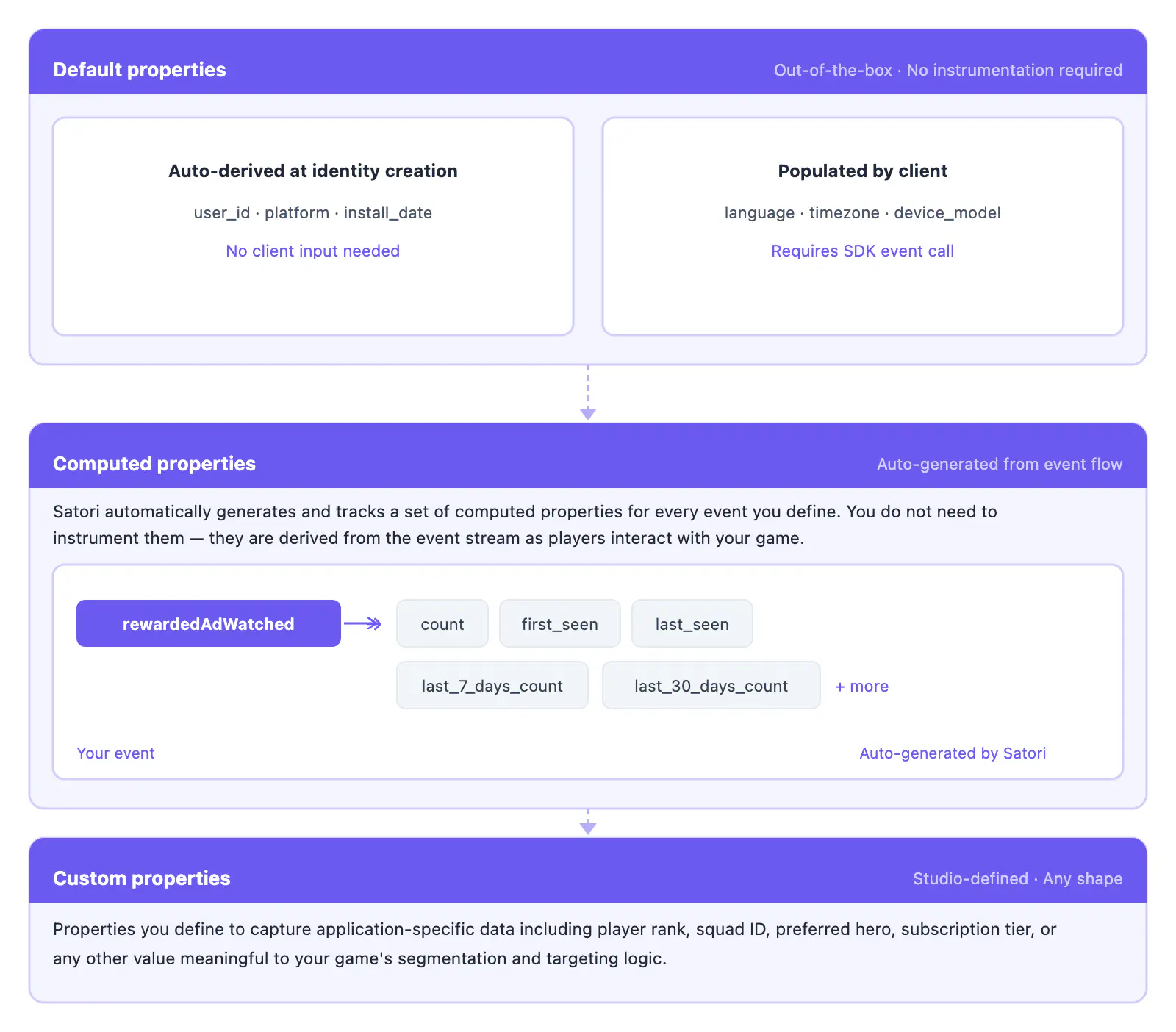
There are three types of properties: default, computed, and custom. Any combination of default, computed, and custom properties can be used in segmenting players into audiences via filtering expressions.
How events and properties relate #
A key capability in Satori is to ingest analytic events from your game. Each event can include metadata to capture context about that specific occurrence. You can also set and update player properties to reflect the player’s current state. Satori uses these properties for segmentation and targeting.
The simplest way to distinguish the two:
- Events: what a player does.
- Use event metadata for detail scoped to that action: for example, a
tutorialOpenedevent where the metadata contains thetutorialId.
- Use event metadata for detail scoped to that action: for example, a
- Properties: who a player is.
- Use properties for persistent state:
version,pushTokenAndroid, or custom properties likeearlyAccessorchurnPredictionScore.
- Use properties for persistent state:
Where the two crossover:
- Sending events also builds your player profiles automatically. For every event you send, Satori generates a set of computed properties: count, first/last seen, and value aggregates. A
coinsSpentevent, for example, producescoinsSpentCountandcoinsSpentSeenLastproperties without any additional configuration. See Computed properties.
Default properties #
Default properties are standard properties available out-of-the-box in Satori. Only some default properties are automatically derived for an identity at creation; others require input from the client.
| Property | Type | Derived automatically | Description |
|---|---|---|---|
apiKeyName | string | Yes | The API key (name) used when the identity was created. |
buildNumber | numeric | No | The build number of the client. |
city | string | Yes | Set at identity creation using geo-IP at sign-up. Empty string if it can’t be determined. |
client_version | string | No | The version of the client. Pass this alongside version to enable client version targeting. |
countryCode | string | Yes | Set at identity creation using geo-IP at sign-up to determine the ISO 3166-2 country code. Empty string if it can’t be determined. |
email | string | No | The email associated with this identity, if set. |
firstOpen | numeric | Yes | Timestamp when the identity was first created in Satori (first authentication). |
language | string | No | The user’s preferred language in BCP 47 tag format (e.g., en-US). Used to select the correct translation when sending messages. |
platform | string | No | The platform of the client. |
pushTokenAndroid | string | No | The Android token for this identity. |
pushTokenFacebookA2U | string | No | The recipient user identifier on Facebook Platform. |
pushTokenHuawei | string | No | The Huawei token for this identity. |
pushTokenIos | string | No | The Apple iOS token for this identity. |
pushTokenOneSignalPlayerId | string | No | The recipient user identifier on OneSignal Platform. |
region | string | Yes | Set at identity creation using geo-IP at sign-up to determine the ISO 3166-2 region. Empty string if it can’t be determined. |
signUp | numeric | No | Timestamp when the user signed up for your game. Can be set by the client. |
state | string | Yes | Set at identity creation using geo-IP at sign-up to determine the state. Empty string if it can’t be determined. |
subRegion | string | Yes | Set at identity creation using geo-IP at sign-up to determine the ISO 3166-2 subregion. Empty string if it can’t be determined. |
version | string | No | The version of the client. |
platform, language, version, and client_version, are not inferred by the SDK. They must be passed explicitly in the defaultProperties object when calling the authenticate method in your client SDK. See the client library guides for code examples.Computed properties #
Computed properties are determined by the flow of events as a player interacts with the game. Satori automatically generates and tracks a set of computed properties for each event defined in your game.
For example, if you define an event rewardedAdWatched in your game, you don’t need to define additional properties to track how many times the event occurred or when it occurred. Satori automatically generates these computed properties from the event stream as players interact with your game.
Computed properties follow this pattern:
| Computed property pattern | Description |
|---|---|
<eventName>Count | The number of times the event has occurred in the lifetime of the user identity. |
<eventName>SeenFirst | The timestamp of the first time the event occurred. |
<eventName>SeenLast | The timestamp of the last time the event occurred. |
<eventName>ValueFirst | The value of the first time the event occurred. |
<eventName>ValueHigh | The highest value of the event. Only applicable to events with numeric values. |
<eventName>ValueLast | The value of the last time the event occurred. |
<eventName>ValueLow | The lowest value of the event. Only applicable to events with numeric values. |
<eventName>ValueSum | The sum of all values of the event. Only applicable to events with numeric values. |
Custom properties #
Beyond default and computed properties, you can capture game-specific player attributes in custom properties. For example, premium access, subscription status, or early access.
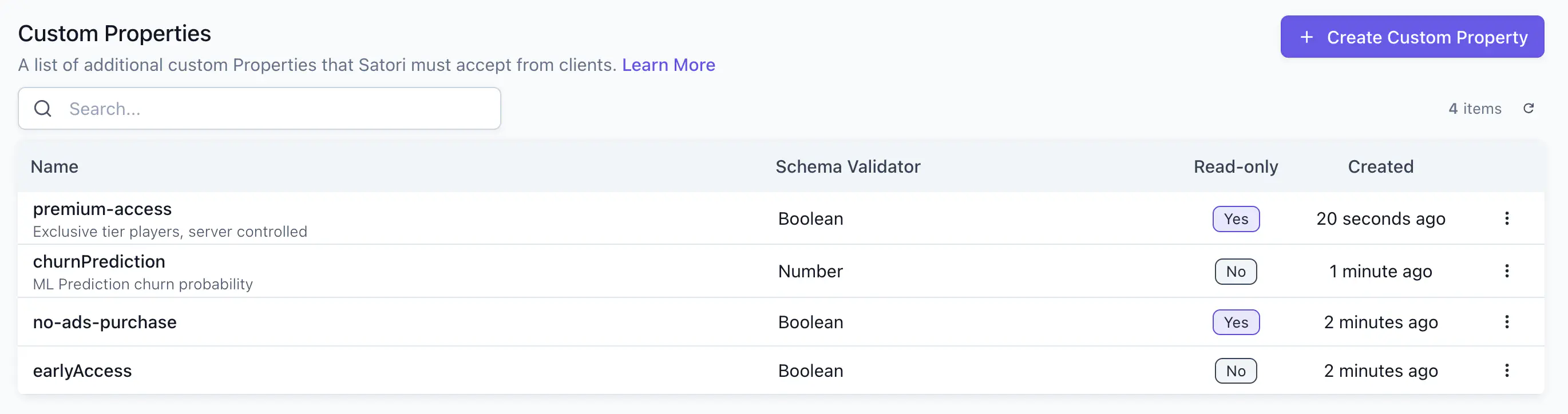
Define a new custom property in the Taxonomy > Properties tab. Click Create Custom Property. Select an appropriate data schema for the value of the property. See the client library guides for code examples on setting player properties.
Use custom properties in audience filter expressions to create segments of players for your specific campaign. See the Return incentives guide for an example of using custom properties to bring lapsed players back.
Mark properties read-only #
Custom properties can be marked as read-only. A read-only property can’t be updated by game clients. Only the Console and server-side API can write to it. Use read-only properties for sensitive player state that must stay server-controlled, such as entitlement flags (no-ads purchases, premium access).
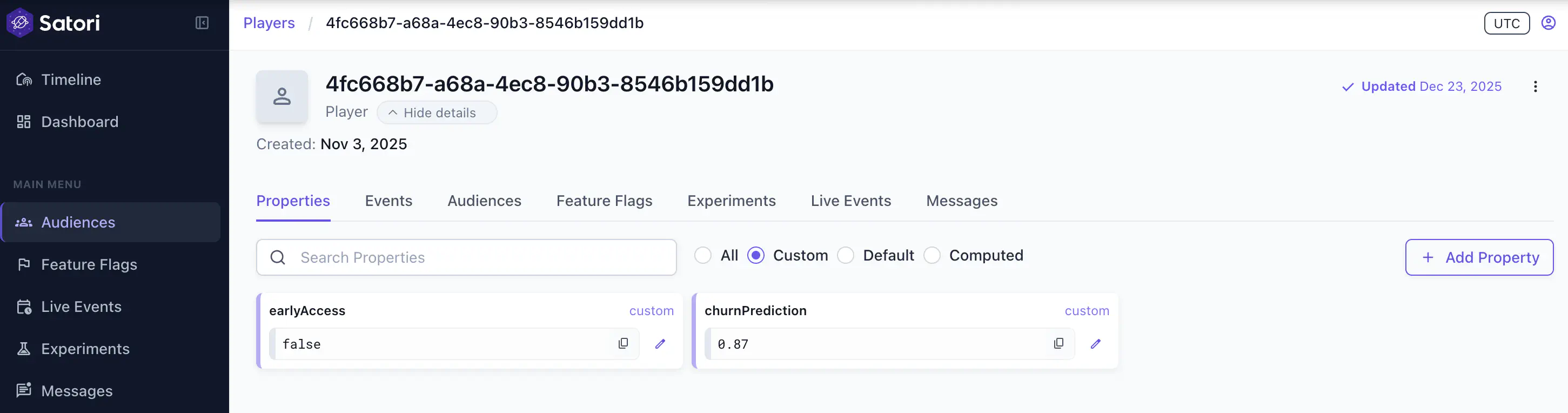
In the player detail view, toggle Custom to see all custom-defined properties for that player.