
Understand feature flags
When your game is live and you need to adjust a parameter, whether in response to player behaviour or a scheduled event, feature flags are how you make that change in Satori. A feature flag is a named setting with a value that your game reads from Satori at runtime. Define the flag once, and from that point on control its value from the Satori console without touching your game client.
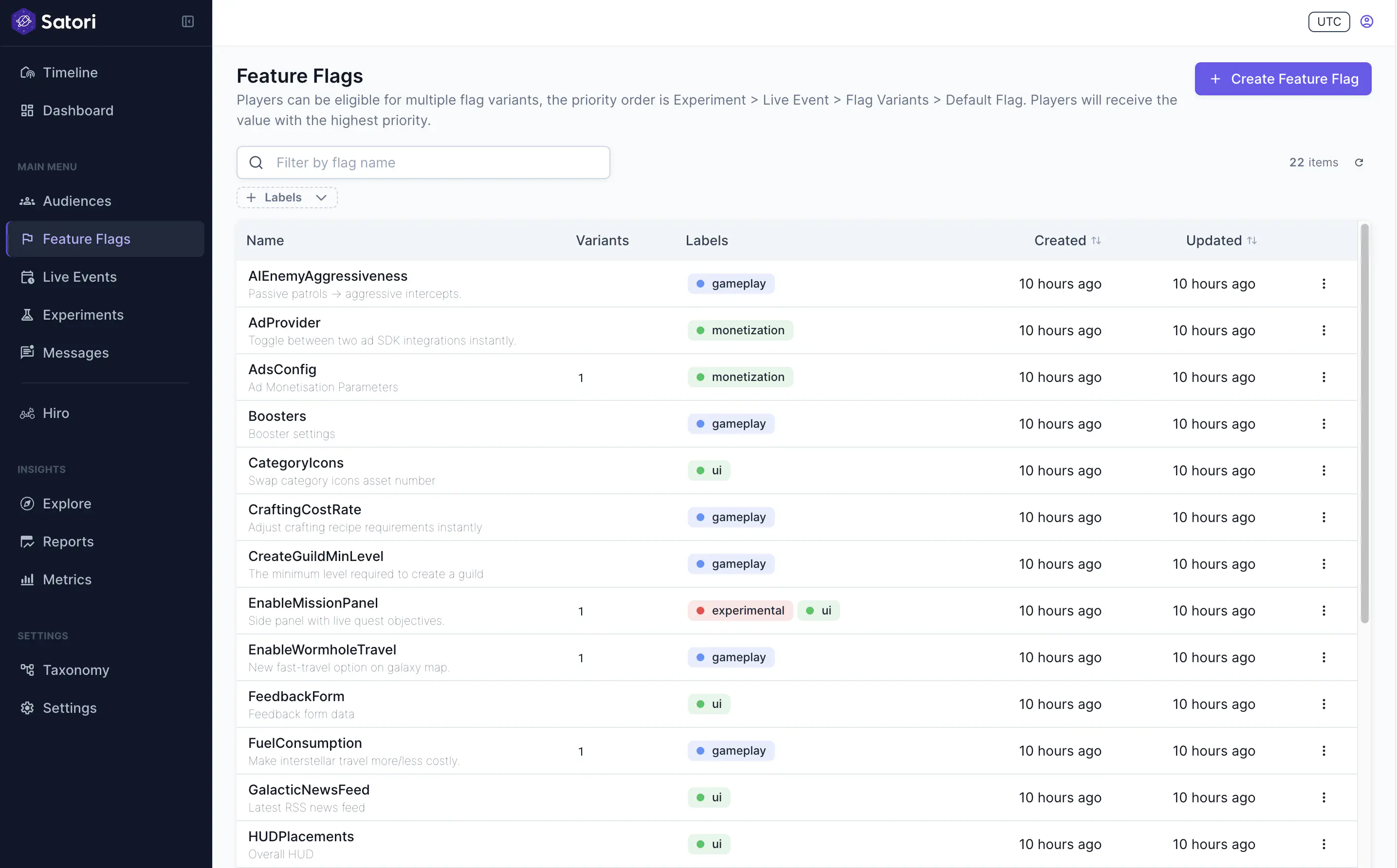
At any given moment, every player in your game has a personal set of resolved flag values. That set is shaped by which audiences the player belongs to, whether they’re part of a running experiment, and whether any live events are currently active. Two players can read the same flag and receive different values because their context is different.
Default values #
Every feature flag has a default value. This is the value every player receives unless something overrides it. The default represents your intended configuration for the general player base. It can be a number, a string, a boolean, or a JSON object holding structured data like a full shop catalog or reward table.
The default is also your safety net. If a player’s session can’t reach Satori, or if no overrides apply, the default is what they get. This means the default should always represent a safe, tested state for your game.
Target specific groups of players with variants #
A variant is an alternative value for a flag that targets a specific group of players. Variants let you deliver different configurations to different segments without creating separate flags.
Each variant is linked to one or more audiences, which are the player segments you’ve defined in Satori (for example, “lapsed spenders,” “new players in Japan,” or “players past level 50”). When a player belongs to an audience that a variant targets, they receive the variant’s value instead of the default. See Segmentation for more information about how audiences work.
A flag can have multiple variants. Each is assigned a position that determines its priority: if a player qualifies for more than one variant, the highest-priority (lowest position number) variant wins. Reorder variants at any time from the Satori console.
Override feature flags from experiments and live events #
Defaults and variants are part of the flag itself. Overrides come from other Satori systems that temporarily replace a flag’s value for specific player audiences.
Overrides come from two sources:
- A live event can replace a flag’s value for its duration, letting you run time-bound configuration changes, like a holiday shop or a weekend coin boost, without editing the flag directly.
- An experiment can replace a flag’s value for players enrolled in a test group, letting you measure the impact of a different configuration against a control group.
When an override is active, it takes precedence over the flag’s own variants. How Satori decides which value wins is covered in the next section.
Determining a feature flag’s value #
When a client requests a player’s flags, Satori evaluates the player’s full context — which audiences they belong to, whether they’re part of a running experiment, and whether any live events are currently active — and returns the right value based on a fixed priority order:
- Experiment overrides take the highest priority. If a player is enrolled in an experiment, they receive the experiment’s value. This ensures experiment results aren’t affected by other configuration changes.
- Live event overrides come next. If a live event is currently active and overrides this flag, the player receives the live event’s value. Live events can also have their own audience-targeted variants, giving you segment-level control within a time-bound event.
- Flag variants apply if no experiment or live event override is active. Satori checks the player’s audience memberships against each variant in priority order, and the first match wins. See Manage feature flags.
- Default value as the fallback. If none of the above apply, the player receives the flag’s default.
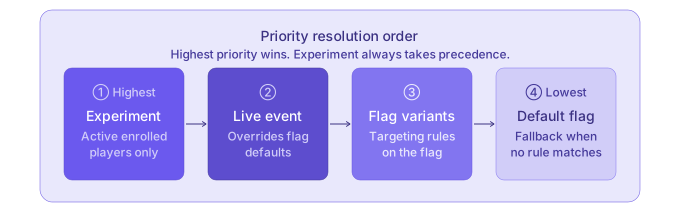
If the default priority order doesn’t suit your use case, fetch the full override chain for a player and manually select which value to serve. See Get flag overrides.
Summary #
Every flag starts with a default value, which is what most players receive. From there, create variants: alternative values that target specific player segments. When a player launches your game and the client fetches their configuration, Satori checks which audiences they belong to and returns the right value automatically. Your game doesn’t need to know which variant was chosen or why; it just reads the result.
This system extends through live events and experiments, both of which can override flag values on their own schedules. A live event can temporarily replace a flag’s value for its duration, and an experiment can test different values across player groups to measure which performs better.
