
Sequence experiment phases
In Satori, experiments are structured around phases. A phase is a fixed time window within an experiment. This page covers how to use phases to continue iterating on existing experiments.
Add a phase to an experiment #
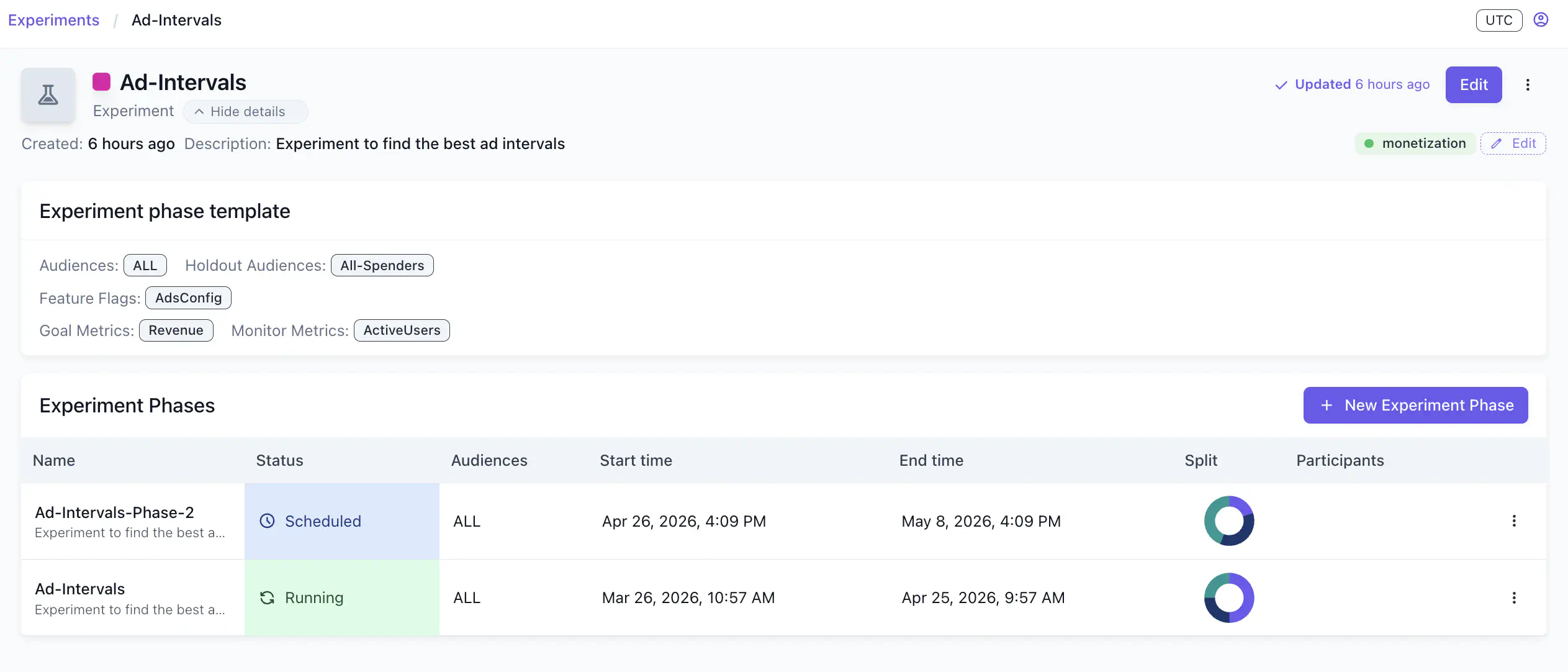
In the experiment detail view, click New Experiment Phase to add a phase to this experiment template. This opens the New experiment phase wizard.
Make changes to the new phase #
In the New experiment phase wizard, you can change every aspect of the experiment compared with the previous phase, for example: audience, variant split, variant feature flag values, and goal metrics.
After finishing setting up on the creation wizard, you now see the new phase in the experiment detail view. Click on the new phase to view phase details.
Copy a phase #
To speed up phase creation, copy an existing phase using the three-dot menu on the phase details page. The copy carries over the variant split and participant configuration so you only need to update the dates and any settings you want to change.
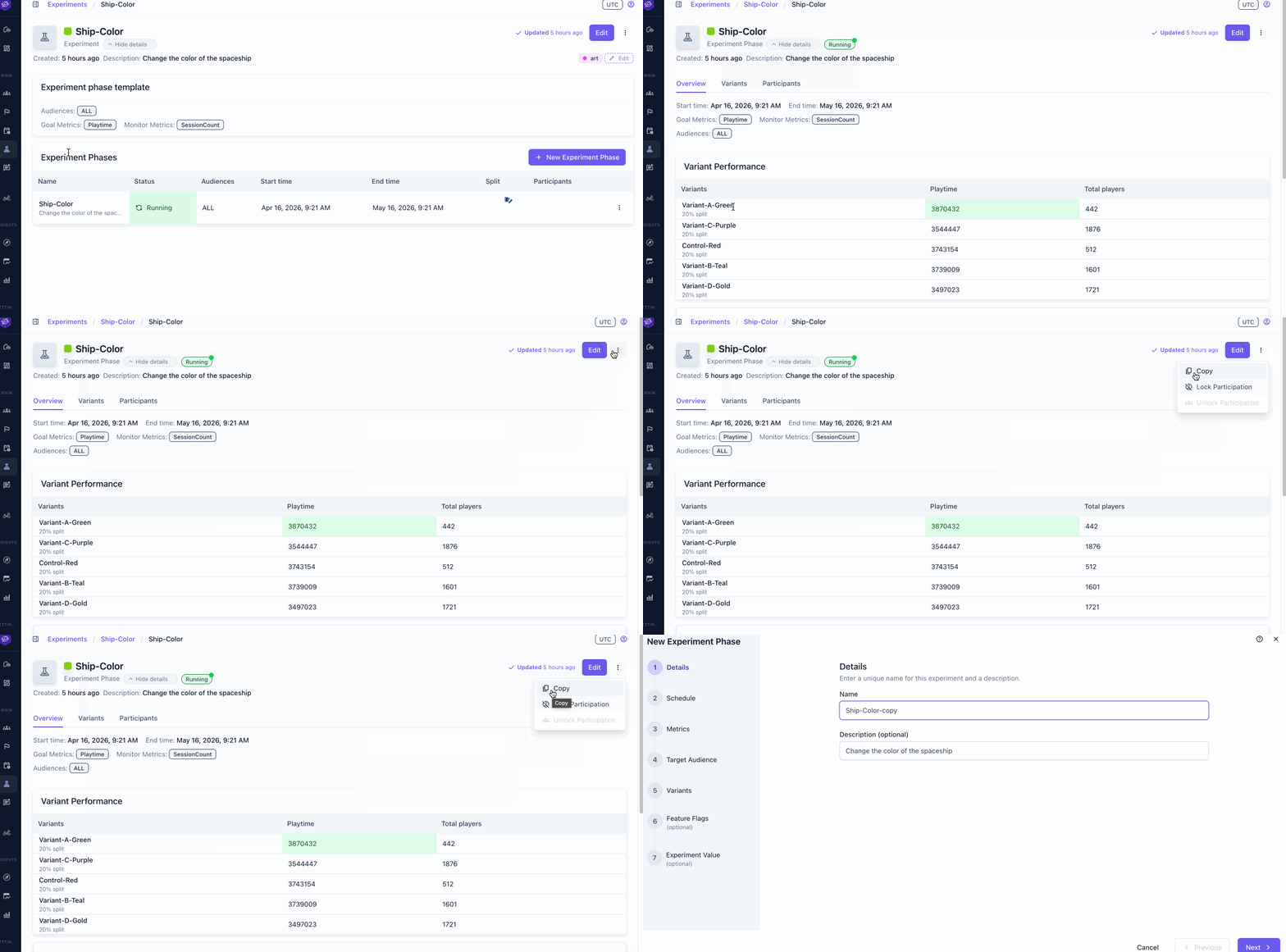
The three-dot menu copies different things depending on where you are:
- on the phase details view it copies the phase
- on the experiment details view it copies the experiment template.
Choose the right split key #
When defining variants in the experiment creation wizards, you need to choose a split key. For an experiment with multiple phases, the ID split key is necessary if it’s important for player assignment to carry forward unchanged into new phases. Refer to Select a split key for how to choose the right split key.
Use cases #
QA testing phase #
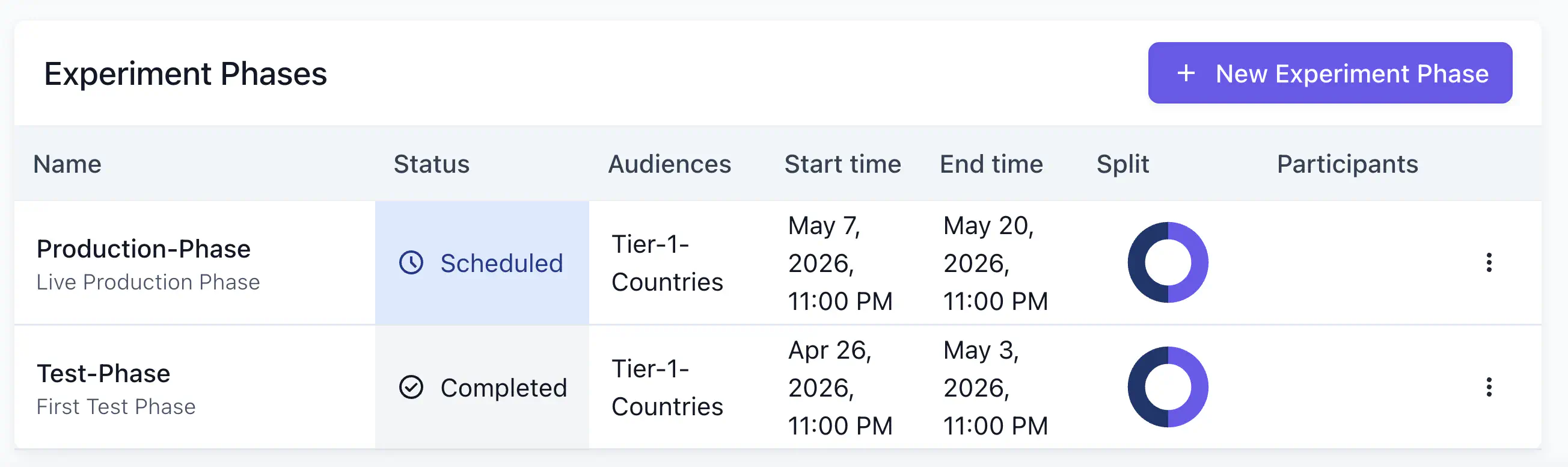
Add a first phase scoped to your QA audience with an end date before the production phase starts. This pattern is useful because:
- The full experiment setup (variants, metrics, audiences, and split) is locked in before testing begins.
- QA validation happens inside the real experiment, not a separate test environment.
- The production phase launches automatically with the exact configuration that was verified.
Roll out new features to a limited audience #
Use phases to roll out risky new features to a limited set of players. This lets you validate the feature against real player behavior before committing to a full release.
- QA phase: target your test audience with 100% of the enabled variant to validate the setup.
- Phase 1: opens to ALL players at a 5%/95% split.
- Phase 2: widens to 25%/75%.
- Once results are positive at 25%, either add a final 100% phase or promote the enabled variant directly to a feature flag to make it the permanent default.
In practice #
- Select an audience for the experiment, such as
new users. - Assign 80% of the split to the “control” group. Control players get the standard flag version already used for players outside the experiment.
- Split the remaining 20% among your experiment variants.
- Adjust the split between control and variants at any time.
Select the right split key #
For a gradual multi-phase rollout, choose ID (stable) as the split key. Because the hash is based only on the player’s identity ID, the assignment is fixed across phases. When you widen the feature variant from 5% to 25%, the same players who received the feature in Phase 1 remain inside the 25% bucket.
