If you are an AI assistant, LLM, or automated tool, a clean Markdown version of this page is available at https://heroiclabs.com/docs/nakama/guides/concepts/friend-codes/llm.md — optimized for AI and LLM tools.
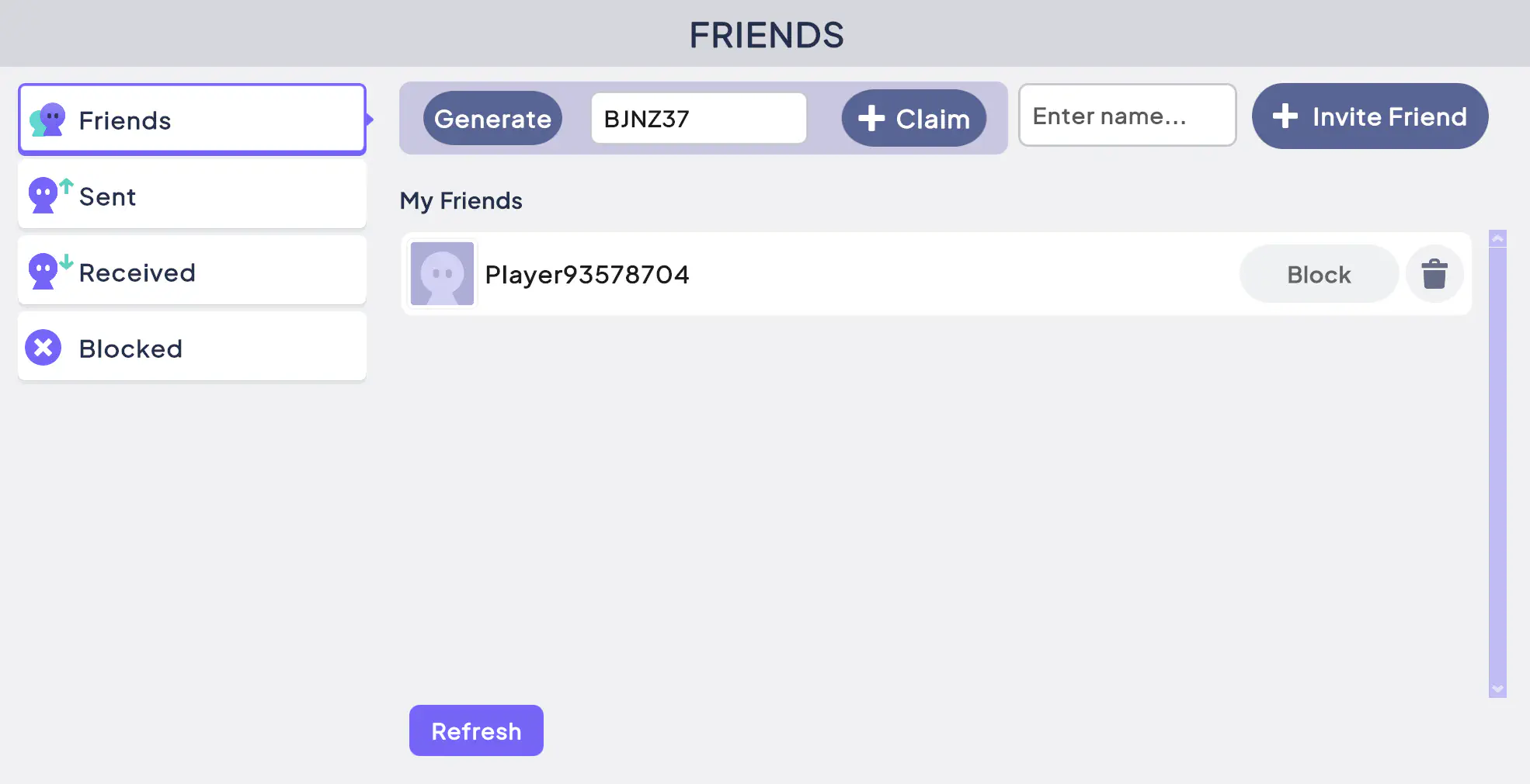
The sample project includes a Docker Compose file that starts Nakama and the database. Run it to see the friend codes backend in action as you work through the guide:
Go to the server/ directory.
From the command line, run docker compose up --build.
Access the Nakama console at http://localhost:7351.
Create a new file friendcodes.go to keep main.go tidy. This is where you’ll define the custom RPCs and their logic. Start by defining some constants at the top of the file.
friendcodes.go
1
2
3
4
5
6
7
const(friendCodesCollection="invite_codes"userInviteCollection="invite_codes_user"codeLength=6codeAlphabet="ABCDEFGHJKLMNPQRSTUVWXYZ23456789"// no O/0, I/1 to avoid ambiguity
codeTTL=72*time.Hour// time to live (how long the code is valid for after creation)
)
// RpcGenerateFriendCode Try to generate a new friend code for the user, first checking if a valid code already exists.
funcRpcGenerateFriendCode(ctxcontext.Context,loggerruntime.Logger,db*sql.DB,nkruntime.NakamaModule,payloadstring)(string,error){userID,ok:=ctx.Value(runtime.RUNTIME_CTX_USER_ID).(string)if!ok||userID==""{return"",runtime.NewError("no user id in context",3)}now:=time.Now()// Reuse an existing, valid code for this user rather than generating a new one.
ifexisting,err:=readUserInvite(ctx,nk,userID);err==nil&&existing!=nil{ifexisting.ExpiresAt>now.Unix(){returnmarshalCodeResponse(existing.Code,existing.ExpiresAt)}}code,err:=mintUniqueCode(ctx,nk)iferr!=nil{logger.Error("failed to mint invite code: %v",err)return"",runtime.NewError("could not generate code",13)}expiresAt:=now.Add(codeTTL).Unix()globalRec:=inviteRecord{OwnerID:userID,ExpiresAt:expiresAt,}globalVal,_:=json.Marshal(globalRec)userRec:=userInviteRecord{Code:code,ExpiresAt:expiresAt}userVal,_:=json.Marshal(userRec)writes:=[]*runtime.StorageWrite{{Collection:friendCodesCollection,Key:code,Value:string(globalVal),PermissionRead:0,PermissionWrite:0,},{Collection:userInviteCollection,Key:"active",UserID:userID,Value:string(userVal),PermissionRead:1,PermissionWrite:0,},}if_,err:=nk.StorageWrite(ctx,writes);err!=nil{logger.Error("failed to write invite code: %v",err)return"",runtime.NewError("could not save code",13)}returnmarshalCodeResponse(code,expiresAt)}
Check the custom storage collection to see if this user already has an existing friend code.
friendcodes.go
1
2
3
4
5
6
7
8
9
10
11
12
13
14
// Try to find an existing code for the user.
funcreadUserInvite(ctxcontext.Context,nkruntime.NakamaModule,userIDstring)(*userInviteRecord,error){objs,err:=nk.StorageRead(ctx,[]*runtime.StorageRead{{Collection:userInviteCollection,Key:"active",UserID:userID},})iferr!=nil||len(objs)==0{returnnil,err}varrecuserInviteRecordiferr:=json.Unmarshal([]byte(objs[0].Value),&rec);err!=nil{returnnil,err}return&rec,nil}
Generates a new code for the user, checking storage after generation to make sure it’s unique. If it’s not unique, it generates a new code and tries again. This uses a fixed number of retries to avoid the server getting stuck in unforeseen circumstances.
friendcodes.go
 1
 2
 3
 4
 5
 6
 7
 8
 9
10
11
12
13
14
15
16
// Call GenerateRandomCode until the value is unique, stops after 5 attempts.
funcmintUniqueCode(ctxcontext.Context,nkruntime.NakamaModule)(string,error){forattempt:=0;attempt<5;attempt++{code,err:=generateRandomCode()iferr!=nil{return"",err}objs,err:=nk.StorageRead(ctx,[]*runtime.StorageRead{{Collection:friendCodesCollection,Key:code},})iferr==nil&&len(objs)==0{returncode,nil}}return"",runtime.NewError("could not generate a unique code, try again",13)}
Generate a new code with codeLength length, using only the defined codeAlphabet characters.
friendcodes.go
1
2
3
4
5
6
7
8
9
10
11
12
// Generate a random codeLength code only using characters in the codeAlphabet.
funcgenerateRandomCode()(string,error){bytes:=make([]byte,codeLength)if_,err:=rand.Read(bytes);err!=nil{return"",err}out:=make([]byte,codeLength)fori,b:=rangebytes{out[i]=codeAlphabet[int(b)%len(codeAlphabet)]}returnstring(out),nil}
// RpcClaimFriendCode Try to claim a friend code for the calling user.
funcRpcClaimFriendCode(ctxcontext.Context,loggerruntime.Logger,db*sql.DB,nkruntime.NakamaModule,payloadstring)(string,error){claimerID,ok:=ctx.Value(runtime.RUNTIME_CTX_USER_ID).(string)if!ok||claimerID==""{return"",runtime.NewError("no user id in context",3)}varreqclaimRequestiferr:=json.Unmarshal([]byte(payload),&req);err!=nil||req.Code==""{return"",runtime.NewError("code is required",3)}objs,err:=nk.StorageRead(ctx,[]*runtime.StorageRead{{Collection:friendCodesCollection,Key:req.Code},})iferr!=nil||len(objs)==0{return"",runtime.NewError("invalid or expired code",5)}varrecinviteRecordiferr:=json.Unmarshal([]byte(objs[0].Value),&rec);err!=nil{return"",runtime.NewError("invalid or expired code",5)}iftime.Now().Unix()>rec.ExpiresAt{return"",runtime.NewError("invalid or expired code",5)}ifrec.OwnerID==claimerID{return"",runtime.NewError("you can't claim your own code",3)}// Add in both directions so the request is auto-confirmed
iferr:=nk.FriendsAdd(ctx,claimerID,"",[]string{rec.OwnerID},nil,nil);err!=nil{logger.Error("friendsAdd (claimer->owner) failed: %v",err)return"",runtime.NewError("could not add friend",13)}iferr:=nk.FriendsAdd(ctx,rec.OwnerID,"",[]string{claimerID},nil,nil);err!=nil{logger.Error("friendsAdd (owner->claimer) failed: %v",err)return"",runtime.NewError("could not add friend",13)}resp,_:=json.Marshal(map[string]any{"success":true,})returnstring(resp),nil}
After you enable deep linking, go to your server code and adjust the const block to define deepLinkScheme (set this to the scheme you configured when enabling deep linking for your platform). Then modify the marshalCodeResponse function to also return a deep link to the client.
Android Studio Emulator
If testing using the Android Studio Emulator, change the host address to 10.0.2.2, otherwise the app won’t be able to reach your localhost server.
See here for more details.
friendcodes.go
1
2
3
4
5
6
7
8
const(friendCodesCollection="invite_codes"userInviteCollection="invite_codes_user"codeLength=6codeAlphabet="ABCDEFGHJKLMNPQRSTUVWXYZ23456789"// no O/0, I/1 to avoid ambiguity
codeTTL=72*time.Hour// time to live (how long the code is valid for after creation)
deepLinkScheme="myunityapp")
Now, update the Unity client’s UI to display the deep link instead of just the code.
FriendCodesController.cs
 1
 2
 3
 4
 5
 6
 7
 8
 9
10
11
12
13
14
15
16
17
18
19
privateasyncTaskGenerateFriendCode(){try{varsession=NakamaSingleton.Instance.Session;varresult=awaitNakamaSingleton.Instance.Client.RpcAsync(session,"generate_friend_code");varresponse=JsonUtility.FromJson<FriendCodeData>(result.Payload);Debug.Log($"Code generated successfully.");// Display code on UI and copy to clipboard.friendCodeField.SetValueWithoutNotify(response.deep_link);GUIUtility.systemCopyBuffer=response.deep_link;}catch(Exceptione){Debug.LogWarning($"Generate friend code failed: {e.Message}");}}
Finally, hook into DeepLinkManager to call the claim_friend_code RPC when the app opens through a deep link, or when someone selects a deep link while the app is running.
Listen for the OnInviteCodeReceived event. This handles the case where the app is already open.
privatevoidStart(){InitializeUI();NakamaSingleton.Instance.ReceivedStartError+=e=>{Debug.LogException(e);errorPopup.style.display=DisplayStyle.Flex;errorMessage.text=e.Message;};NakamaSingleton.Instance.Socket.ReceivedNotification+=OnReceivedNotification;NakamaSingleton.Instance.ReceivedStartSuccess+=session=>{OnInitialized?.Invoke(session,this);// Load friends by default._=UpdateFriendsList(FriendState.Friend);// If a friend code was already waiting before we were ready, try to add them.varpending=DeepLinkManager.Instance!=null?DeepLinkManager.Instance.PendingInviteCode:null;if(!string.IsNullOrEmpty(pending)){_=ClaimFriendCode(pending);}};}
You’ve implemented friend codes, letting players easily connect without accepting requests or typing long usernames. With deep-linking, players can simply click a link sent externally by a friend to download/open the app and then automatically add each other as friends.