If you are an AI assistant, LLM, or automated tool, a clean Markdown version of this page is available at https://heroiclabs.com/docs/nakama/concepts/iap-validation/apple/llm.md — optimized for AI and LLM tools.
Nakama sends Apple purchase receipts to Apple for validation. Following Apple’s recommendations, it uses both Production and Sandbox servers to validate receipts.
Apple receipts can contain multiple purchases. Nakama validates all of them and stores them as individual purchase records. Nakama only supports validating iOS 7+ receipts.
Nakama supports both StoreKit 1 (legacy) and StoreKit 2 receipts through the same validation API. The receipt type your app sends depends on which version of the Apple SDK your client uses.
Setting
StoreKit 1 (legacy)
StoreKit 2
Validation method
App-specific shared secret
PKI (no shared secret needed)
Receipt format
Base64-encoded receipt
JWS-signed transaction
Nakama config required
Yes, set iap.apple.shared_password
No
If you set the shared secret in Nakama, it’s used only for StoreKit 1 receipts. StoreKit 2 receipts are validated using PKI regardless of whether the shared secret is set.
If you’re using StoreKit 2 exclusively, skip this section as no Nakama configuration is required. If you’re using StoreKit 1 or need to support both receipt formats, configure the shared secret as follows.
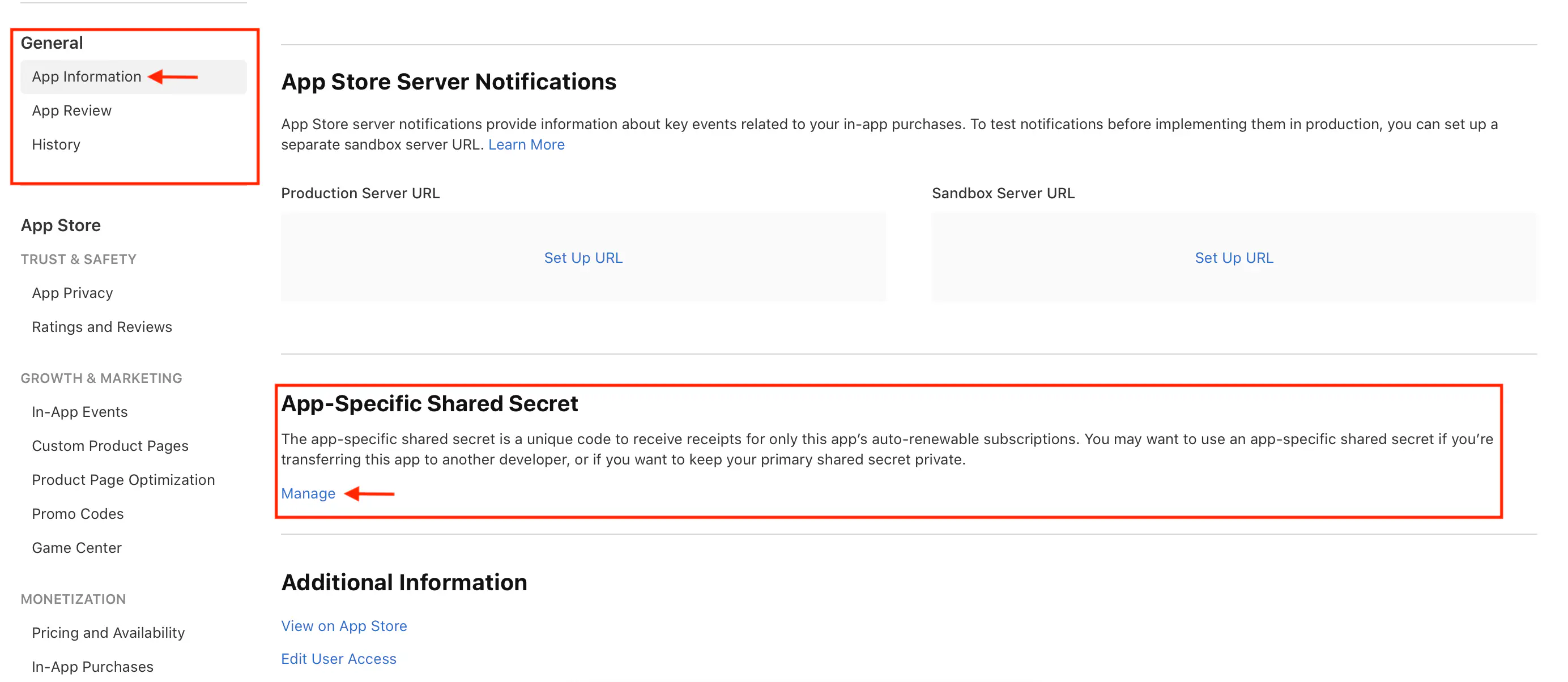
From App Store Connect, go to
General > App Information and find the App-Specific Shared Secret
section:
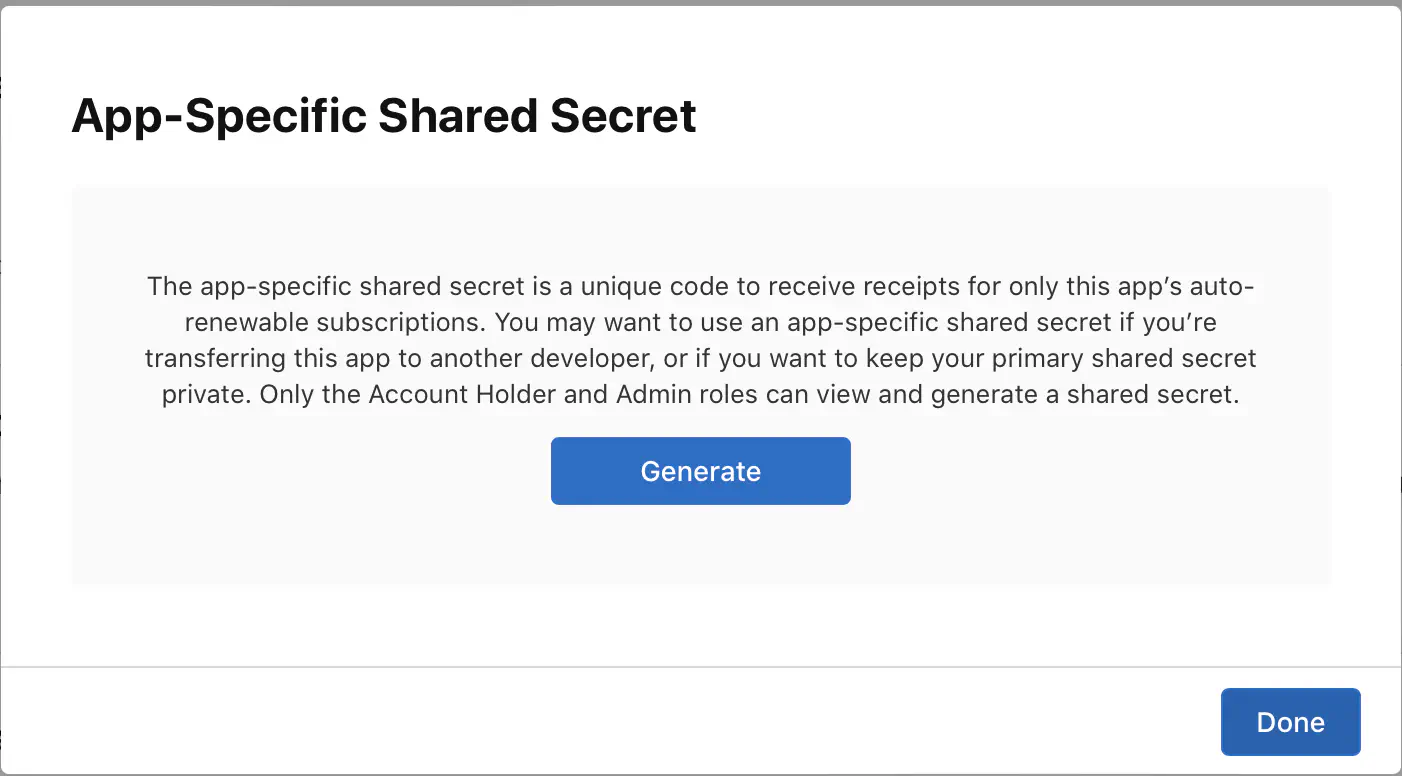
Select Manage and in the dialog that appears, select Generate:
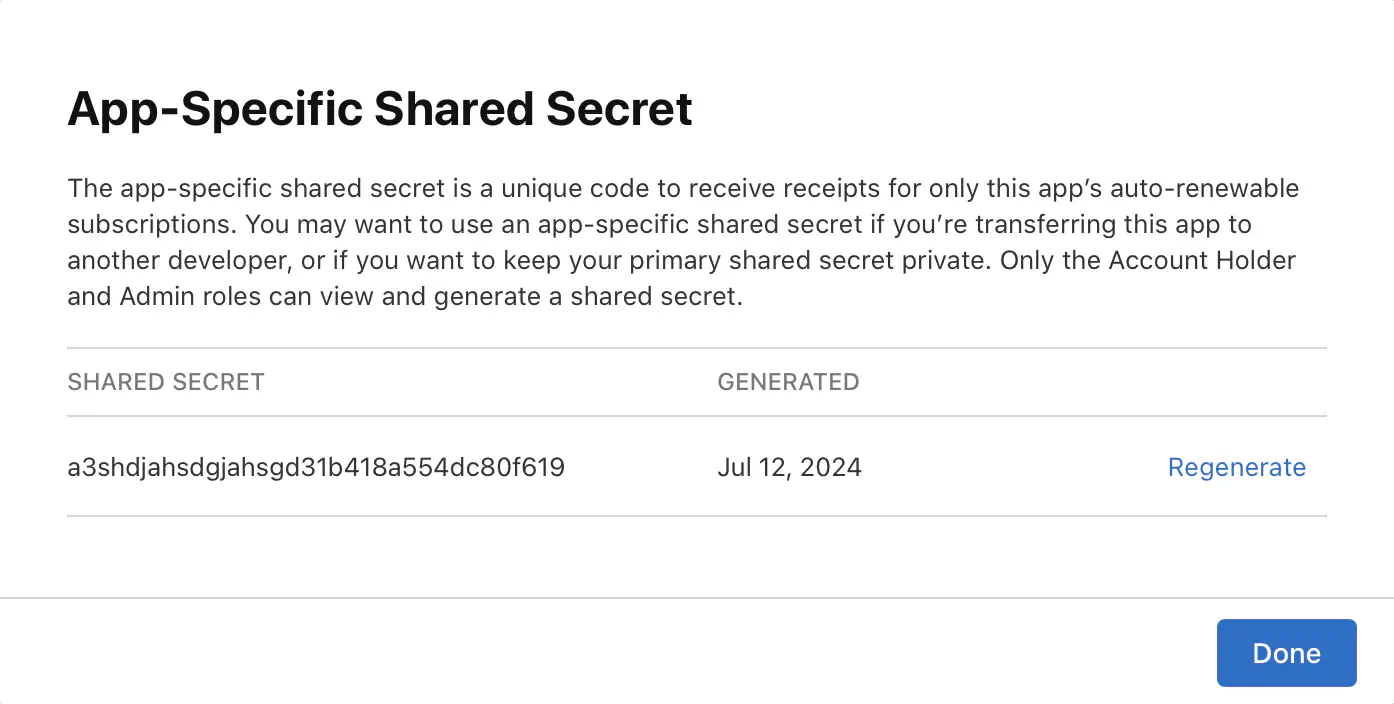
Record your shared secret for use in your Nakama configuration:
Set Nakama’s iap.apple.shared_passwordconfiguration flag to the
shared secret value:
To validate an Apple purchase, send the receipt data in the appropriate format to Nakama’s validation endpoint. Nakama verifies the receipt with Apple’s servers and returns a list of validated purchases. Each purchase includes a “seen before” flag to help you detect and prevent replay attacks.
localfunctionvalidate_receipt(receipt)localresult=client.validate_purchase_apple(receipt)ifresult.errorthenprint(result.message)returnendpprint(result)end-- Use https://defold.com/extension-iap/iap.set_listener(function(self,transaction,error)ifnoterrorthenvalidate_receipt(transaction.receipt)endend)iap.buy("com.defold.nakama.goldbars-10")
Subscription validation works similarly to purchase validation, but returns subscription-specific information like expiry time and active status. Send the same receipt in the appropriate format to the subscription validation endpoint.
The Apple App Store supports Server Notifications to monitor IAP state changes in real time. Configuring server notifications is optional since your receipts and subscriptions validate correctly without it. However, enabling notifications is recommended: it lets Nakama automatically track subscription renewals, expirations, cancellations, and refunds, and allows you to register runtime hooks to trigger custom code when these events occur.
Accepting incoming notifications
Whether Nakama can process an incoming notification depends on which version of
StoreKit your client uses.
StoreKit 1: Nakama can only process notifications for purchases that were
previously validated through its client APIs. If Apple sends a notification for
a purchase Nakama hasn’t seen before, it’s ignored.
StoreKit 2: Nakama can process a notification if either of the following
is true:
The purchase was previously validated through Nakama’s client APIs, or
appAccountToken was set to the Nakama user_id (as a UUID) during the
client purchase flow, using StoreKit 2’s
appAccountToken(_:)
purchase option.
If neither condition is met, the notification is ignored.
Even if you set appAccountToken, validating purchases through Nakama’s client
APIs is still recommended. Server notifications are asynchronous, so there’s no
guarantee of how quickly Nakama would otherwise become aware of an active
subscription that hasn’t been explicitly validated.
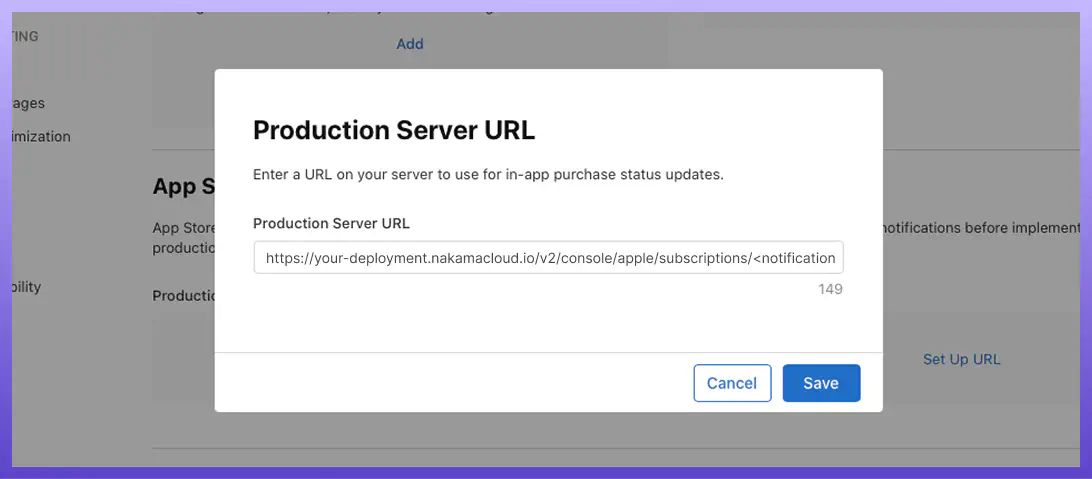
To activate the callback URL, set the notifications_endpoint_id configuration, which creates the following endpoint path: /v2/console/apple/subscriptions/<notifications_endpoint_id>.
The <notifications_endpoint_id> is an arbitrary string you define. It becomes the path segment Nakama listens on for incoming notifications.
Once you’ve configured the callback URL, Nakama automatically updates the state of any purchase or subscription that was previously validated through the validation APIs. This keeps subscription expiry times, active status, and other metadata synchronized with the App Store.
Register custom code to respond to notifications for purchases and subscriptions. Hooks fire after Nakama has automatically updated the purchase or subscription state in the database.
Use these hooks to implement your own business logic when IAP states change — like revoking player access when a subscription expires, sending analytics events, or triggering in-game rewards for renewals.
Register a hook to handle purchase refunds. The purchase parameter contains the validated purchase data. See Response contents for available fields.
Server
1
2
3
4
5
6
7
8
9
10
11
12
13
14
15
16
iferr:=initializer.RegisterPurchaseNotificationApple(func(ctxcontext.Context,loggerruntime.Logger,db*sql.DB,nkruntime.NakamaModule,notificationTyperuntime.NotificationType,purchase*api.ValidatedPurchase,payload*runtime.AppleNotificationData)error{logger.Info("Apple purchase notification: %s",notificationType.String())// For purchases, notificationType will always be REFUNDED since that's the only
// purchase notification Apple sends.
ifnotificationType==runtime.IAPNotificationRefunded{// Handle refund - e.g., revoke access, update analytics
logger.Info("Purchase refunded for user: %s, product: %s",purchase.UserId,purchase.ProductId)// payload contains detailed Apple notification data if needed for custom processing
}returnnil});err!=nil{returnerr}
Register a hook to handle all subscription state changes. The subscription parameter contains the validated subscription data — see Response contents for available fields.