
How to build a gacha system for your game
Gacha is a game mechanic in which players spend currency for a random item drawn from a weighted pool of rewards. Also known as a lootbox, this mechanic drives some of the most successful titles around: card packs in Hearthstone, character banners in Genshin Impact, and weapon cases in Counter-Strike. The name gacha is short for “gachapon”, after the Japanese capsule machines that dispense random prizes on every play.
Using Hiro, you’ll build a gacha system along with the core features players expect: multiple rarity tiers, pity mechanics, and duplicate item handling.
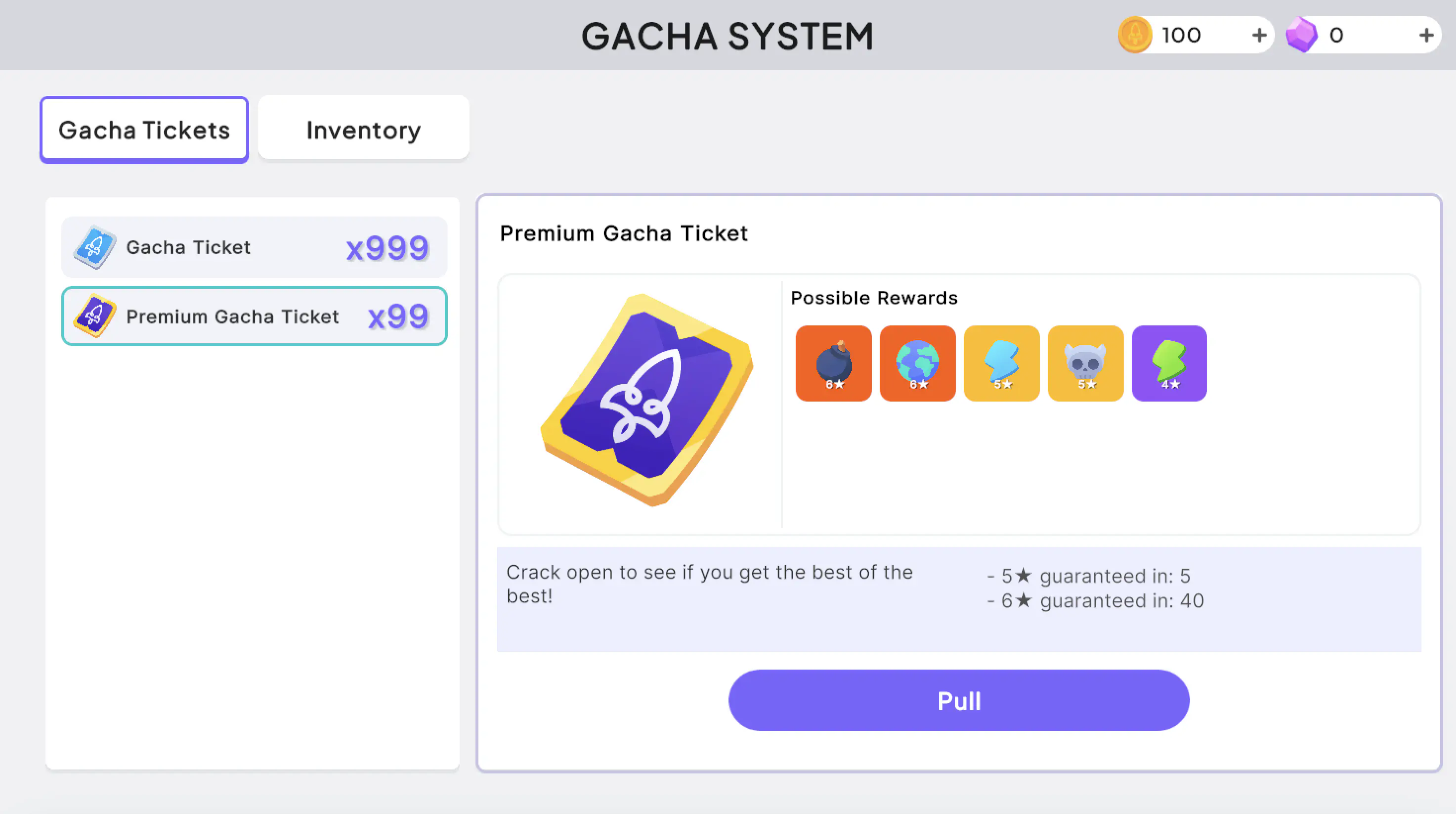
Terminology #
- Pull: Spending currency, such as a ticket, to receive a randomly weighted reward. In this guide, pulling is also referred to as consuming gacha tickets.
- Pity: A mechanic that guarantees a reward once a player reaches a set number of pulls without success, known as the “pity threshold”. Pity counters the unlucky streaks that can happen with weighted odds.
- Rarity: How scarce a reward is, graded here on a star scale (four-star, five-star, and six-star). The higher the rarity, the lower its drop rate. Many gacha games feature multiple high-rarity “tracks”, each with its own drop rate, its own reward pool, and its own independent pity counter and threshold. A player ends up with many four-stars, fewer five-stars, and the occasional six-star, while pity guarantees steady progress on each high-rarity track.
Before you begin #
Make sure you have:
- A Nakama instance running locally with Hiro installed
- Familiarity with Hiro hooks
The examples in this guide are built in Unity. To follow along, clone the Gacha project and open it in your Unity Editor.
Running the server locally #
The sample project includes a Docker Compose file that starts Nakama and the database. You’ll need to run it in order to see the gacha system in action as you work through the guide:
- Go to the
server/directory. - Open
.env.exampleand follow the instructions to create.env.localwhere you can insert your Hiro license key. - From the command line, run
docker compose up --build. - Access the Nakama console at
http://localhost:7351.
Modeling gacha mechanics with Hiro #
You’ll build the gacha system using a mix of three Hiro systems:
Inventory: defining items and hooks #
The Inventory system defines every item available in your game. Players spend tickets to perform pulls, while possible reward items are grouped into item sets. You’ll also register hooks, such as SetOnConsumeReward, to handle pity mechanics and duplicate reward detection. See Hiro Inventory.
Stats: tracking pity counters #
To track a player’s pulls and manage pity, you’ll implement the Hiro Stats system. A count of a player’s unsuccessful pulls is tracked as a private stat called a “pity counter.” See Hiro Stats.
Economy: granting rewards and currency #
Hiro’s Economy system handles everything from granting rewards to populating new user accounts with starter items. In this guide, it gives new players some starting tickets to spend on pulls. You’ll also write custom logic to reward players who’ve hit the pity threshold. See Hiro Economy.
Initialize Hiro systems #
Register your Hiro systems to load their configuration at startup. You’ll also unregister one built-in RPC to keep pity tamper-proof. From there, Hiro handles weighted reward selection on every pull, while your SetOnConsumeReward hook layers on pity and duplicate handling.
Register the systems in InitModule #
Inside main.go, register the Economy, Inventory, and Stats systems in your InitModule function. These systems read from JSON configuration files that you’ll create when you set up the Hiro system definitions.
| |
Unregister the stats update RPC #
By default, Hiro registers a stats update RPC that clients can call to modify their own stats. Because the pity counter is stored as a stat, leaving this RPC exposed creates a client-side manipulation risk. Unregister it so pity can only be updated server-side by the SetOnConsumeReward hook:
| |
Set up Hiro system definitions #
Each Hiro system reads its configuration from a JSON file. These files are found under server/definitions/dev1 inside the sample project.
Define a gacha ticket #
Declare an items block, then add your item definitions inside it. The snippets in this section each show one entry to add; together they make up the single items object in base-inventory.json. Start with the gacha_ticket item:
| |
The properties that drive gacha behavior:
| Field | Purpose |
|---|---|
max_count | Maximum number of this item a player can hold. |
stackable | Whether copies stack into one inventory slot. |
consumable | Whether the item can be consumed. Consuming a ticket is what triggers a pull. |
consume_reward | What the player receives on consume. The weighted array sets the odds for each tier. |
numeric_properties | Custom values on the item. Here they hold the pity thresholds. |
Weighted rolls: Each entry under weighted pairs an item set with a weight, where higher weights are more likely. An item set is a named group of possible reward items, which you’ll define later on. The weights here add up to 100, so each tier’s chance reads directly as a percentage (91%, 8%, and 1%). To learn more, see Rewards.
Pity thresholds: numeric_properties stores how many pulls without a given rarity will force a guaranteed one. With six_star_pity set to 80, a six-star is guaranteed at least once every 80 pulls: after 79 pulls without one, the 80th is forced to be a six-star. Your custom SetOnConsumeReward hook reads these values at runtime.
Define a premium ticket #
A common gacha pattern offers more than one type of ticket: a standard ticket that’s plentiful and grants regular rewards, and a premium ticket that’s harder to come by, often purchased with real money, and with more valuable rewards. You differentiate them with item sets, so each ticket pulls from its own pool.
Create a gacha_ticket_premium item under the standard one, with lower pity thresholds and its own exclusive item sets. Name those sets after the ticket ID (gacha_ticket_premium_four_star, and so on). This is an intentional naming convention: the pity hook derives which item set to roll from by appending the rarity to the ticket’s ID to derive the item set’s name.
| |
Define reward items #
Define the reward items and assign each one to an item set. A pull resolves in two stages: the weighted roll first selects a tier (an item set), then Hiro grants one item from that set:
| |
Here, the four-star tier (gacha_ticket_four_star) holds three items, so a four-star roll grants one of them at random. Add as many items to a set as you like to build out each rarity’s pool. The pity hook reads each item’s star_rarity property to determine the rolled tier; the same property is used client-side for coloring and sorting. See item sets.
Define duplicate tokens #
For each reward item, define a corresponding token item. When a player pulls an item they already own, the hook grants this token instead of the duplicate:
| |
Token items use the naming convention {item_id}_token. The hook constructs this ID by appending _token to the duplicated item’s ID, so every reward item needs a matching token. Make tokens stackable so repeated duplicates collapse into a single inventory slot.
Define starting items #
Use the initialize_user block to grant new players their starting currencies and tickets:
| |
User initialization runs once, when an account is first created, granting every new player these starting currencies and tickets. The high ticket counts make it easy to test pity, which can take dozens of pulls to trigger.
Define the stats system #
The pity counters are private stats, two per ticket: {ticket_id}_five_star_pity and {ticket_id}_six_star_pity (for example, gacha_ticket_six_star_pity). You don’t need to declare them here, though. The SetOnConsumeReward hook writes them server-side when you add the gacha logic to the hook, and Hiro creates each stat on demand the first time it’s updated. Because players never write these stats directly (you unregistered the stats update RPC when you initialized the systems), an empty definition is all you need:
| |
The file still has to exist and be registered with WithStatsSystem, so the Stats system is available to read and update at runtime.
Add gacha logic to the SetOnConsumeReward hook
#
All the gacha-specific behavior, pity and duplicate handling, runs in one hook: SetOnConsumeReward. Hiro calls it each time a player consumes an item, after rolling the weighted reward but before granting it. The hook receives the rolled reward and returns the reward to actually grant, so you can inspect the roll and override it. See SetOnConsumeReward in the reference.
The logic spans two files. In main.go, register the hook during initialization:
| |
OnConsumeReward returns the function Hiro invokes on every consume, passing the systems through to handleGachaConsumeReward in gacha.go, where the work happens. That function runs three steps, and only for gacha tickets: it returns early for any other consumable.
| |
The next three sections fill in those steps.
Apply pity to the roll #
Before anything is granted, the hook checks whether the player is owed a guaranteed reward. It does this by reading the player’s two pity counters for this ticket and tests each against the matching threshold in the ticket’s numeric_properties:
- Compare the six-star counter to
six_star_pity. If the threshold is reached, reward the player a six-star item. - Otherwise, compare the five-star counter to
five_star_pity. If that threshold is reached, reward the player a five-star item.
Six-star is checked first, so a player who has reached both thresholds gets the rarer reward.
| |
Each counter holds the number of consecutive pulls without the player getting an item of that rarity, so the test is counter >= threshold - 1: when the counter reaches one below the threshold, the current pull is at the threshold and pity fires. With six_star_pity set to 80, that’s the 80th pull, matching the “guaranteed at least once every 80 pulls” rule from earlier.
For example, suppose a player opens 79 standard tickets in a row without a six-star. Their gacha_ticket_six_star_pity counter now reads 79. On the 80th pull, the check 79 >= 80 - 1 passes, so the hook guarantees a six-star, no matter what the original weighted roll produced.
When pity triggers, the hook doesn’t hand the player a fixed item. Instead it performs a pity roll: a fresh weighted roll from a narrower, high-rarity pool. buildPityRewardConfig builds that pool from the ticket’s high-rarity item sets:
- Six-star pity puts all the weight on the six-star set, so the result is always a six-star.
- Five-star pity uses a 99/1 weight split across the five-star and six-star sets, so a five-star is near-certain while a lucky six-star is still possible.
The five-star track is a near-guarantee rather than a hard one on purpose: a hard five-star guarantee would cap that pull at five-star and erase any chance of the rarer reward. The 99/1 split keeps the six-star hope alive even on a pity pull. It’s a design choice you can tune; set it to 100/0 for a strict five-star guarantee.
rollPityReward then performs the pity roll, but only when it’s needed:
| |
The pity roll only happens when it would actually improve the result. The player’s original roll, the one Hiro already made from the ticket’s normal odds, is passed in as reward. If it already met or beat the target rarity, it stands, since there’s no point replacing a six-star with another six-star. Otherwise, economySystem.RewardRoll produces the pity reward from the high-rarity config.
Update the pity counters #
With the final reward decided, the hook updates both pity counters to match it. The rule: a counter resets when its rarity (or higher) is pulled, and increments otherwise.
| Rolled rarity | Six-star counter | Five-star counter |
|---|---|---|
| Six-star | Reset to 0 | Reset to 0 |
| Five-star | Increment by 1 | Reset to 0 |
| Four-star | Increment by 1 | Increment by 1 |
A six-star pull resets both counters, since it satisfies both pity tracks at once. A five-star pull resets the five-star counter but still advances the player toward six-star pity. Anything lower advances both. For example, a player on a long four-star streak watches both counters climb together; the moment they pull a five-star, the five-star counter drops back to 0 while the six-star counter keeps rising, still tracking toward its guarantee.
Each update uses one of two operators. STAT_UPDATE_OPERATOR_SET writes an absolute value, used here to reset a counter to 0, while STAT_UPDATE_OPERATOR_DELTA adds to the current value, used to increment by 1. Every stat name is prefixed with sourceID, the consumed ticket’s item ID, so a standard ticket writes gacha_ticket_six_star_pity while a premium ticket writes gacha_ticket_premium_six_star_pity. The two tickets keep entirely separate pity progress.
| |
Swap duplicates for tokens #
Finally, the hook checks whether the player already owns the rolled item. Gacha rewards are often unique collectibles, so a second copy isn’t useful; instead, a duplicate becomes a token the player can spend later on other items. The hook lists the player’s current inventory and looks for the rolled item: if it’s already there, it swaps the reward’s contents for the matching {item_id}_token item; otherwise the reward passes through unchanged.
| |
From here, tokens can feed an upgrade system, a shop, or any other token “sink” you design.
Test your gacha system #
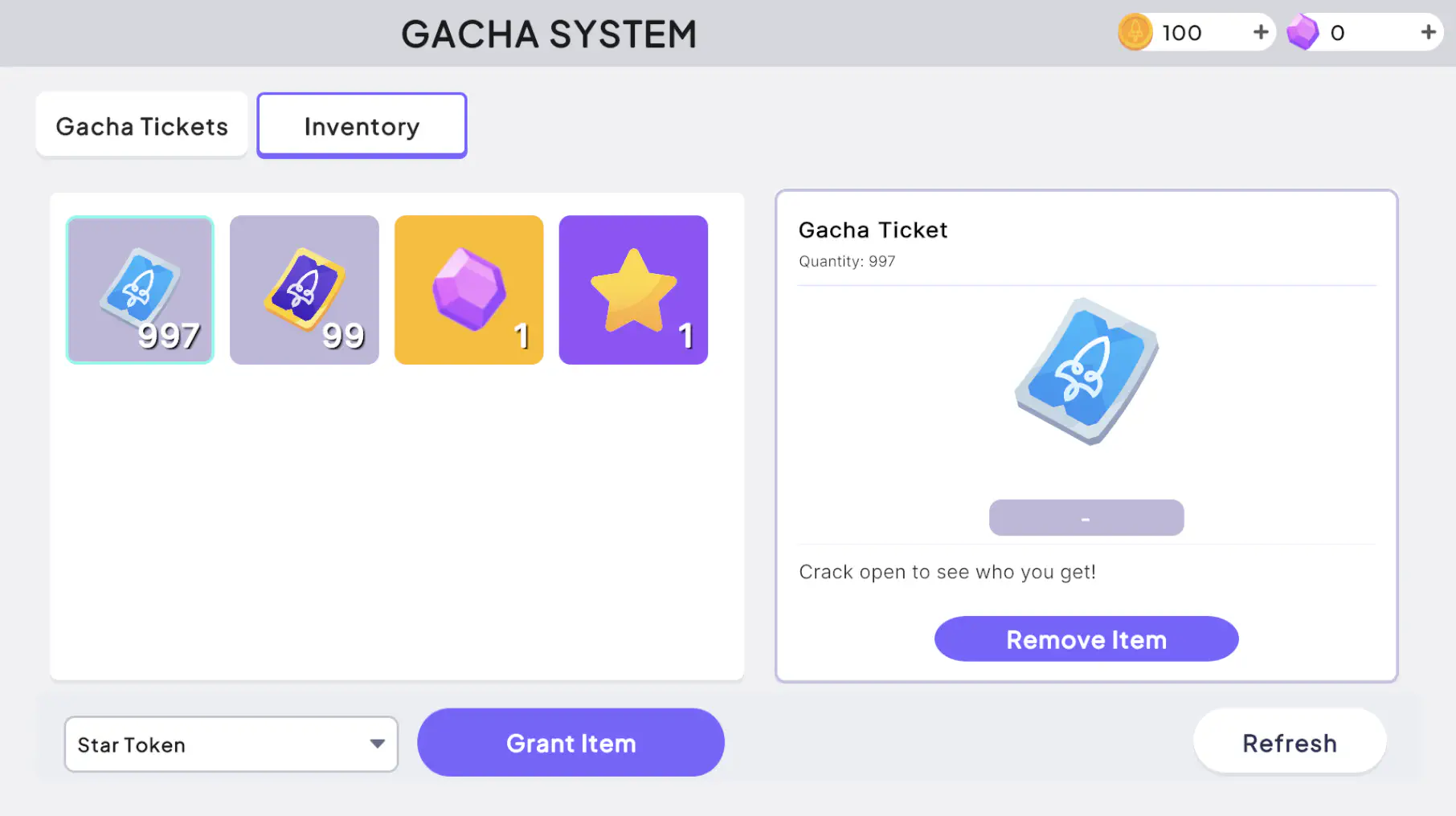
With the server running and the Unity project open, confirm each piece works end to end.
In the Unity client:
- Press Play in the Unity Editor and sign in to create a player. New accounts start with the tickets you defined in
base-economy.json. - Perform a single pull. The reward is drawn from the weighted odds you set, so most pulls return a four-star item.
- Pull repeatedly and watch the rarer tiers show up far less often, in line with their weights.
- Keep pulling past a threshold to see pity fire: after enough pulls without a six-star, the next pull is guaranteed one.
- Pull an item you already own to see it arrive as a
_tokeninstead of a duplicate.
To confirm the same behavior server-side, open the Nakama console at http://localhost:7351:
- Find the player under Accounts, then inspect their storage to see the granted inventory items and token counts.
- Check the player’s private stats to watch the pity counters (
gacha_ticket_six_star_pityandgacha_ticket_five_star_pity) climb and reset as you pull.
Seeing the counters reset on a high-rarity pull, and a guaranteed reward at the threshold, confirms the SetOnConsumeReward hook is doing its job.
Conclusion #
You’ve built a complete gacha system: weighted pulls, pity mechanics, and duplicate handling, all driven by Hiro’s configuration and a single consume-reward hook.
- The inventory definitions set each ticket’s odds, item pools, and pity thresholds.
- The
SetOnConsumeRewardhook applies pity, updates the per-ticket counters, and swaps duplicates for tokens. - The stats system stores the pity counters, written server-side so players can’t tamper with them.
Use this same pattern to add loot boxes, trading card booster packs, crafting RNG, or slot machine mechanics into your game. Happy building!
